Almemo 104 and 2590 Logging Utility
To use the Almemo 104 and 2590 logging utility, you must first download the Almemo from portal.indysoft.com. Click on your main product type underneath "Download Installs" and "Purchased Products." From there, you can select to download the IndySoft Almemo Logger. After downloading, simply double-click on the file to install.
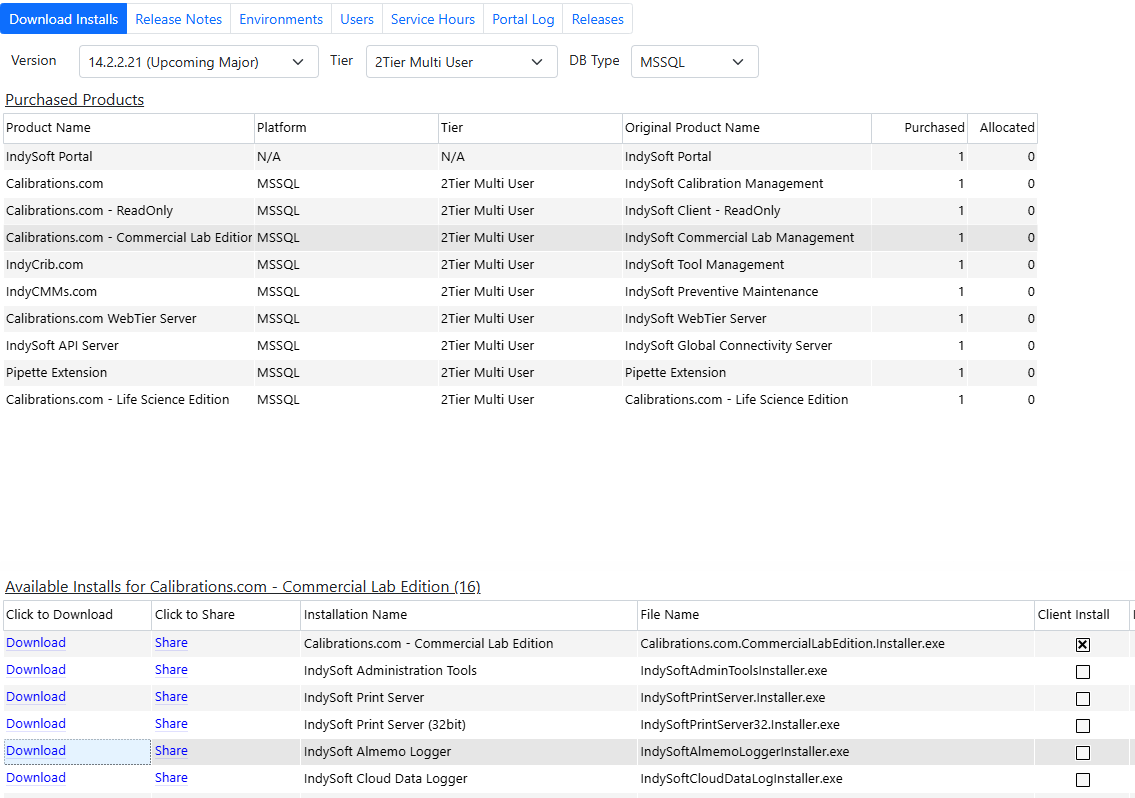
By default, the utility will install to the C:\Program Files\IndySoftAlmemoLogger location. If the user cannot install to that directory, then the default directory will be specific to that user on that workstation.
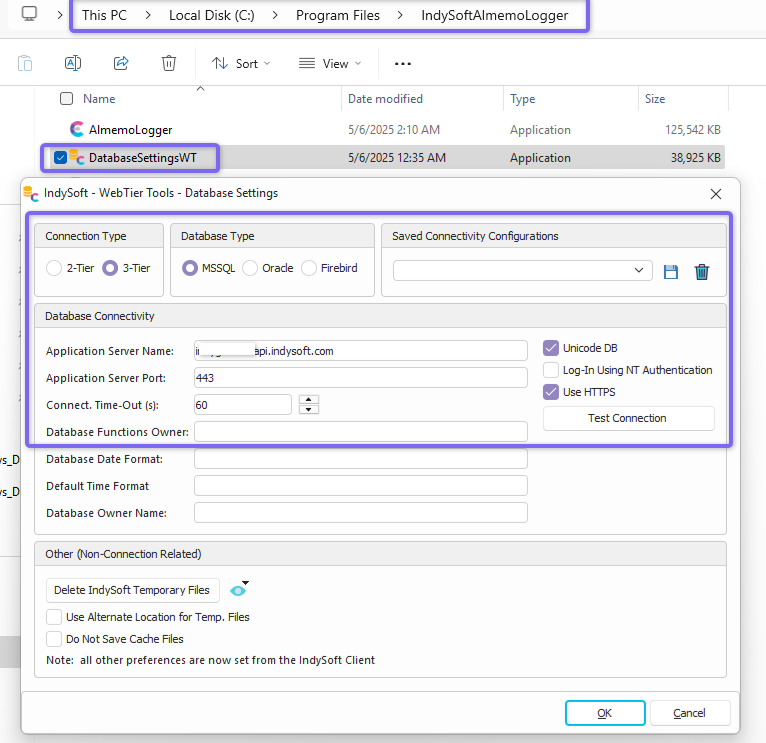
After the install, navigate and set your Database Settings to point to the 3 Tier instance as defined by your Cloud team or Administrator. Press test connection to confirm access to the Server.
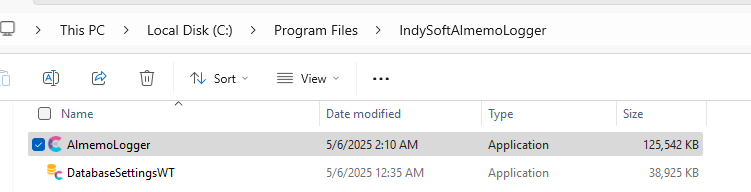
Next, plug in your Almemo Logger to your workstation and to your Power Outlet and set up your probes on the device. Once the hardware is hooked up and configured, you can open the main AlmemoLogger program from your installation directory.
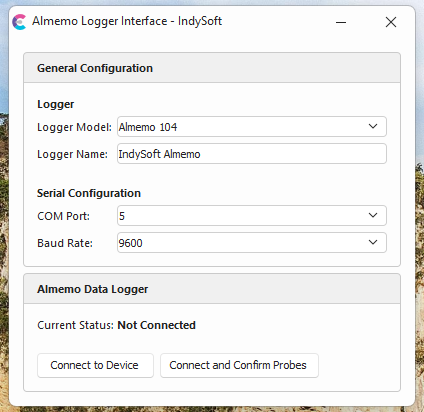
Choose the supported Logger Model, Logger Name as you want it to be referenced in External Data, the COM Port, and Baud Rate of the Device.
Next, Press "Connect and Confirm Probes"
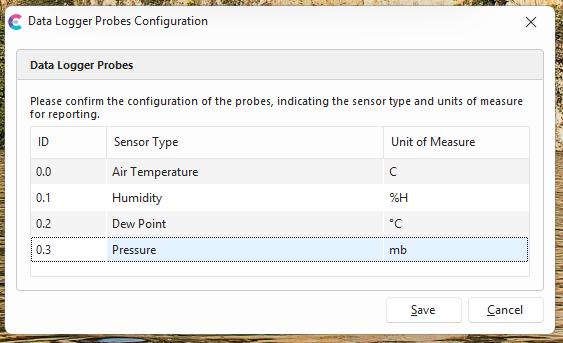
The ID on the left-hand side describes the port being referenced on the device and the reading number from that port. The first number is the port, and the second number is the reading number on that port. The user can change the Sensor Type and Unit of Measure to their desired output.
For example, the probe in this picture is hooked up to Port 0, and the Air Temperature is set to be the first reading on that probe, "0" = 1st reading.
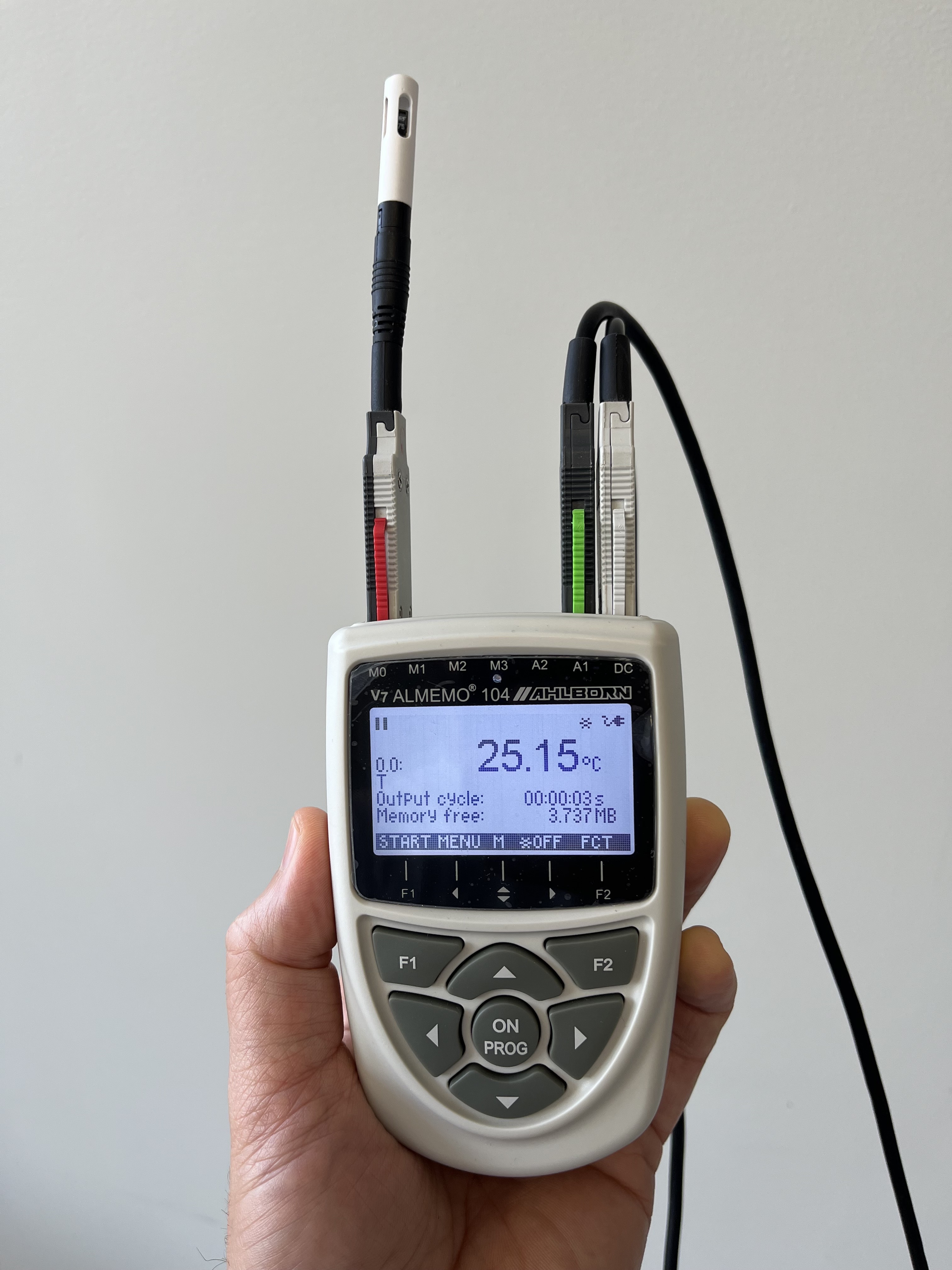
Press "Save" and the device should log to the database as long as the app is open and connected to the logger. You will also want to confirm that the logger is in the "Start" state. If it is Stopped, then "Start" shows on the logger. If it has Started, then "Stop" shows on the logger. The user can minimize the app and keep it open.
In User/Location Settings or Device Presets, the user will enter the data logger name as well as the probe number to allow for more complex configurations. So, if the logger is named "IndySoft Almemo" and the user only needs data from the first port, then the format should be "IndySoft Almemo_0".