External Temperature Logging/RH Logging Utilities - Overview
IndySoft's external temperature/RH logging applications are designed to import readings from logging Hardware on a specified polling interval. Temperature and Humidity readings are stored in a table in the IndySoft database, keyed according to the Logger Name, and ready for automatic input into the IndySoft events screen.
Multiple external loggers can be utilized simultaneously with one IndySoft database if desired. Each 'IndySoft external logger application sets up one logger and writes its data to the IndySoft database under the specified 'Logger Name.' Then, on each IndySoft client machine, there is an option in the User/Location Settings for 'Data Logger Name' (on the 'Ext. Devices' tab) that matches the logger the client 'pulls from' for current temperature and humidity. When this 'Data Logger Name' is specified on the IndySoft client in User/Location Settings, then upon the creation of a new IndySoft event that includes the temp. Or humidity fields, a data request is made on the IndySoft table where external logger data is stored. Only the data from the 'Data Logger Name' specified in User/Location Settings is requested and input into the IndySoft event.
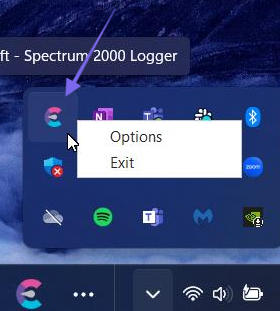
The IndySoft external logger application runs on one computer directly connecting to the external logger hardware. The software runs in the System Tray. If you want to modify the setup options for the IndySoft external logger Application or exit the program, right-click the System Tray icon and select the appropriate option.
Three different temperature/RH logging utilities are distributed to IndySoft clients. Each supports a different piece of Hardware for monitoring temperature/RH. To learn more:
External Logger Setup
Client Computer Setup / Usage
Fluke/Dewk Logger
ØApplication Options
ØTolerances
ØLatest Readings
ØOptions Menu
HygroFlex Logger
ØApplication Settings
ØTolerances
ØLatest Readings
ØOptions Menu
Veriteq/Spectrum Logger
ØSetting Up Your Data Logger