Equipment Filters
It is possible in IndySoft to limit the equipment visible to users that have a particular security profile. This concept is known as an 'equipment filter.' Equipment filters are setup from a right-mouse click option available while a profile is selected on the Profile Manager main screen:
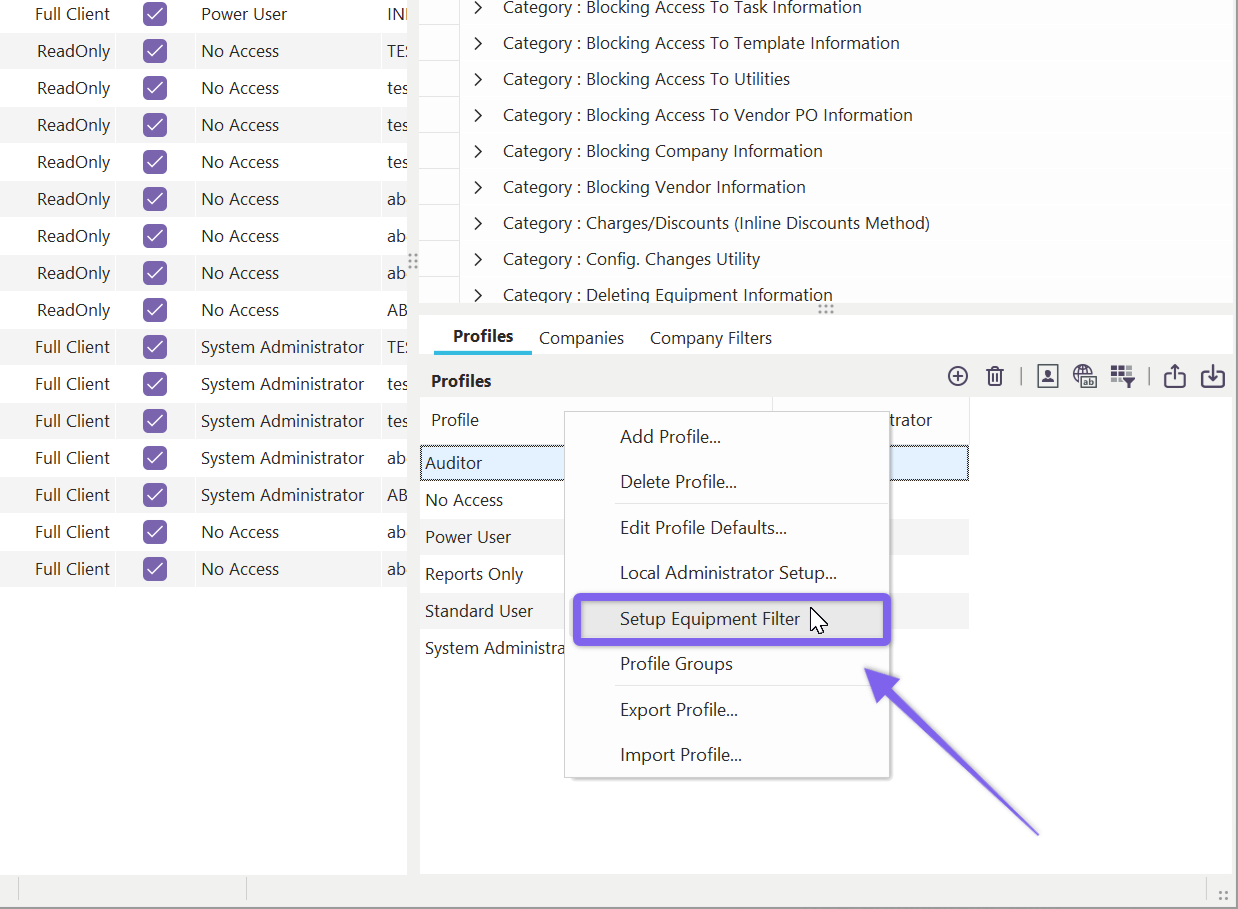
Setup Equipment Filter
This option will pop up an equipment filter box, similar to the filter box used in EquipmentFinder and custom search-bys.
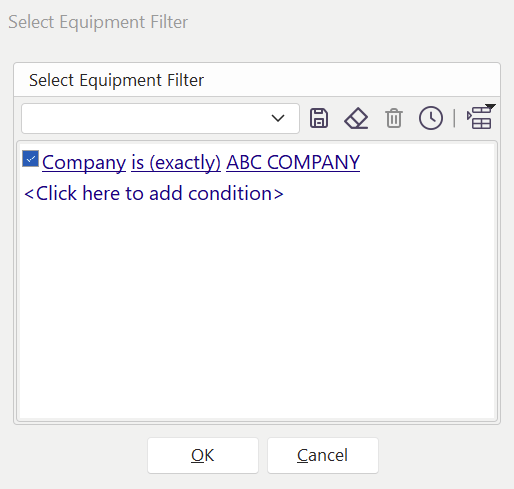
Setup Equipment Filter
Filtering equipment in this manner will COMPLETELY hide equipment that does not match this filter from the user. So often, an equipment filter is used to block users from seeing equipment that (for all practical purposes) they should not even know exists. This equipment filter will be automatically added to any equipment search dialogs or other selection mechanisms in IndySoft - so users cannot search, report, or review these assets.
Note **:**This concept is somewhat similar to establishing a user with a default security profile of 'No Access' and limiting the companies for which they have an appropriate security profile. But if you need the filter to be more specific than simply the Company name, then this is the mechanism.
When an equipment filter is in place for the current user, all search screens will note that a filter is in place - this is often seen in the caption bar:
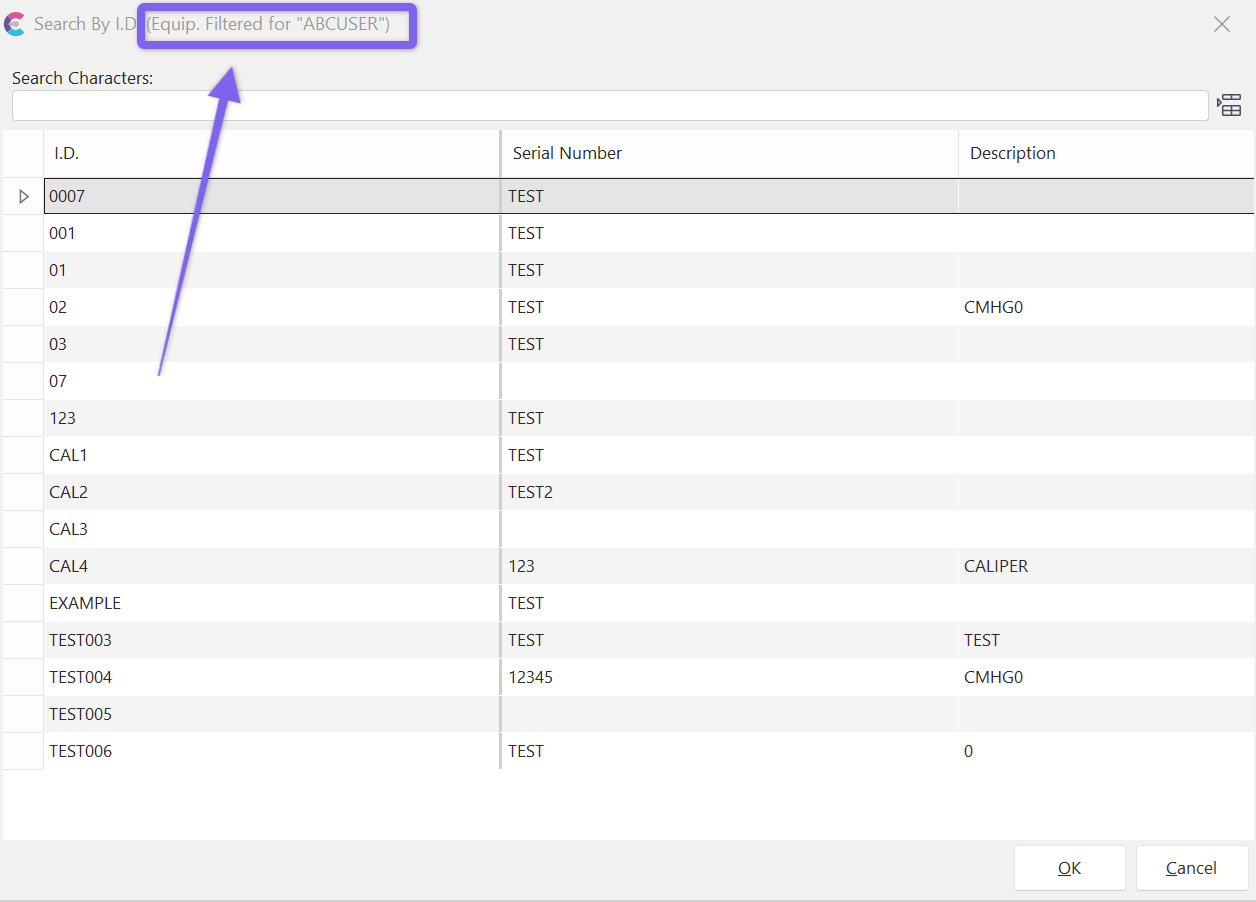
Equipment Filter Note - Search By Dialogs |