Schedule Details - Right-Side Panel
You will see a ' Schedules ' section below the tracking status details on the right-hand panel on Equipment View. This section quickly reviews any schedules set for the current asset and reminds the user of the schedule due dates.
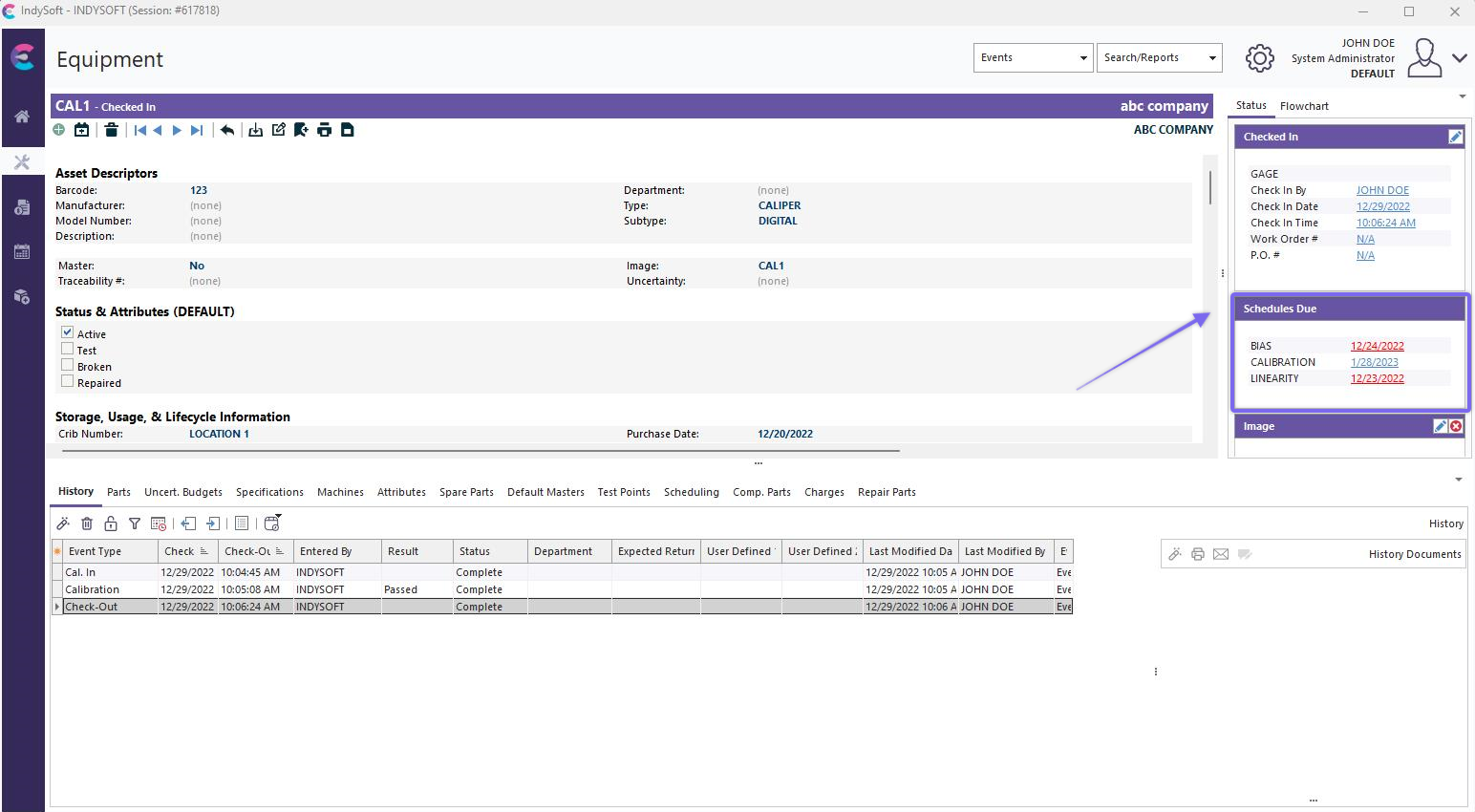
Schedules Group - Right-Side Panel on Equipment View
You can quickly launch into an edit of a particular schedule type by single-clicking on one of the due dates (like 'CALIBRATION' in the above example). After editing the scheduled type, you will be returned to the 'Schedules' dialog for any additional edits.
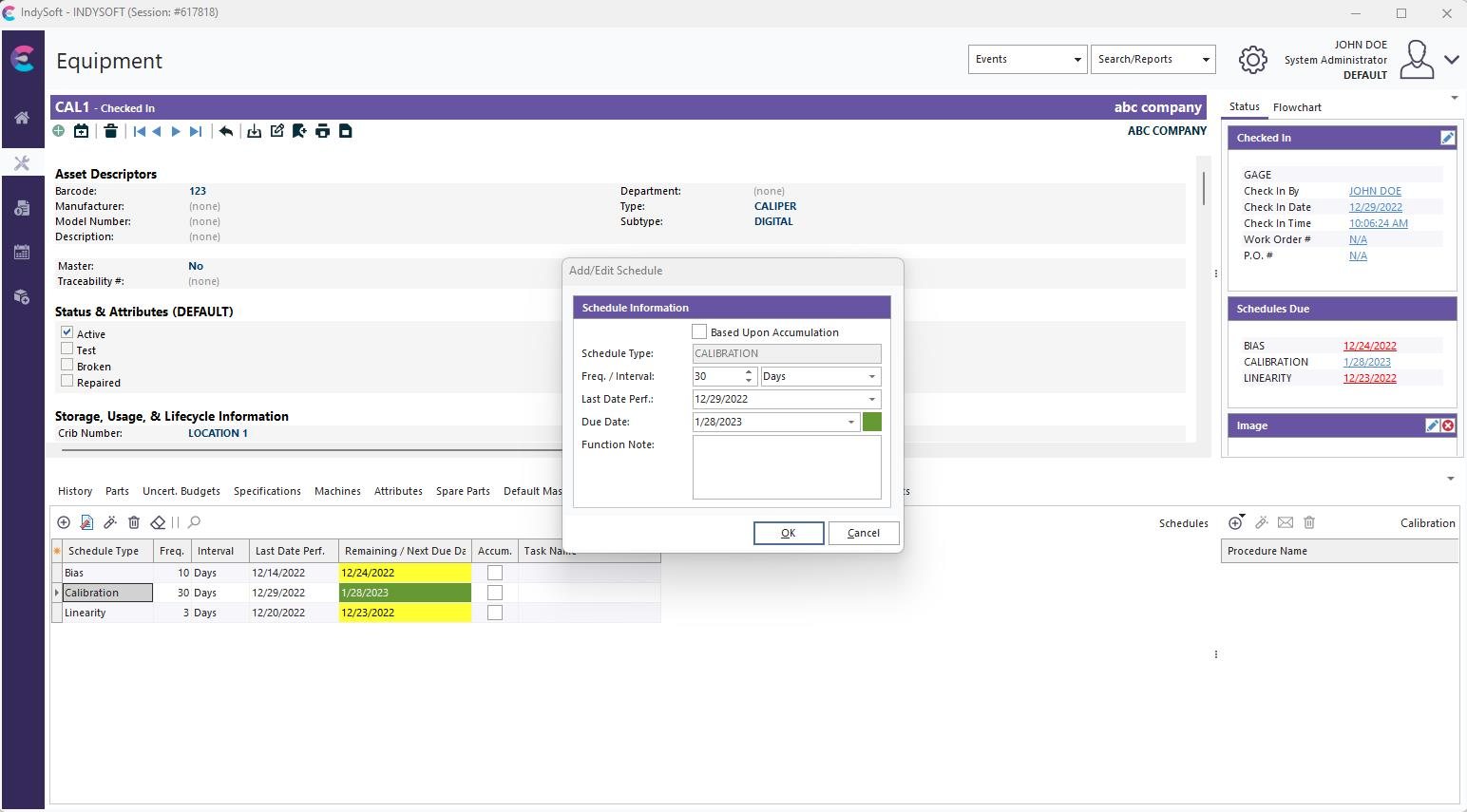
Note that any overdue due dates will be highlighted in red. |