Quick Edits - Tracking Status Details
You can perform quick edits of the tracking status by clicking the 'edit' button or tracking status detail fields by single-clicking (left mouse button) within the tracking status group hyperlink:
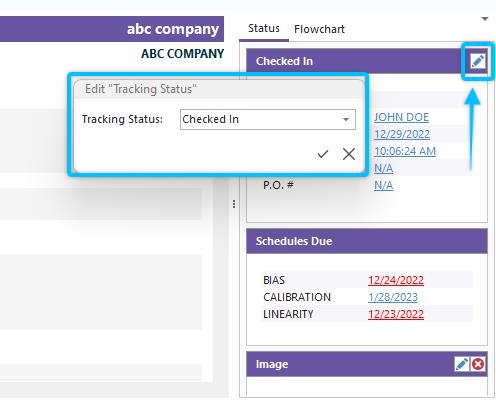
Quick Edit for Tracking Status Details
Click the edit icon to the right of the tracking status header to edit the tracking status. To edit a tracking status detail field, single-click on the field information (like 'Checked In' in the example above). The 'Edit Equipment Field' will display at your mouse position, just as when standard Equipment fields are edited like Department, Manufacturer, etc. Note: these quick tracking status edits can be disabled per profile in the Profile Manager through the 'Block Access to Equipment Information' security category:
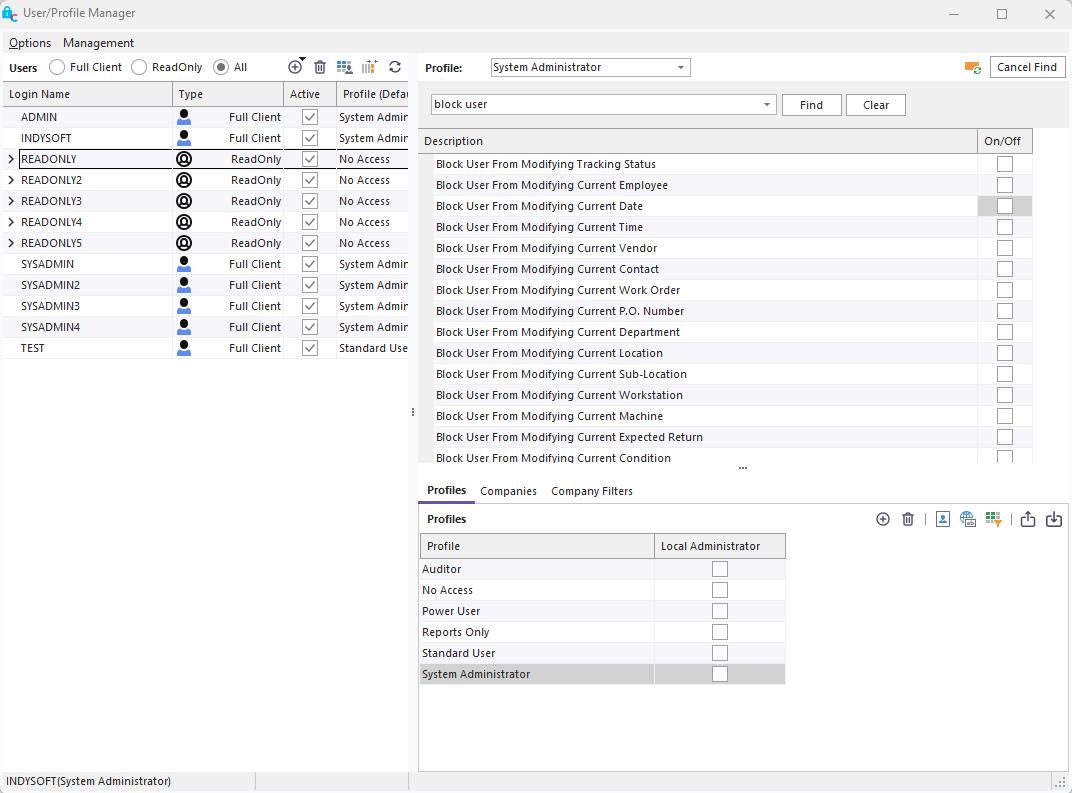
Blocking Access to Modifying Tracking Status and Tracking Status Details
This quick editing of tracking status fields should be reserved for quick 'fixes' by managers, etc. for equipment that has deviated from the typical workflow and needs to be quickly re-aligned. This is especially helpful when testing changes to the workflow. Remember that these manual edits should be the exception - not your normal process. |