Add/Edit...System-Wide...Lab Fields...Lab Custom 1-8
Drop-down lists can be created in Dashboard Equipment View when added through the Layout Editor.
Customizing Lab Custom 1-8 Labels
Before adding a new Lab Custom list, the field names can be customized by going to Home View -> Preferences -> System Wide. In the window that pops up, go to the User Defined Labels Tab, then the Lab Tab Labels tab—type in your preferred label names under the Lab Tab User Defined Labels section.
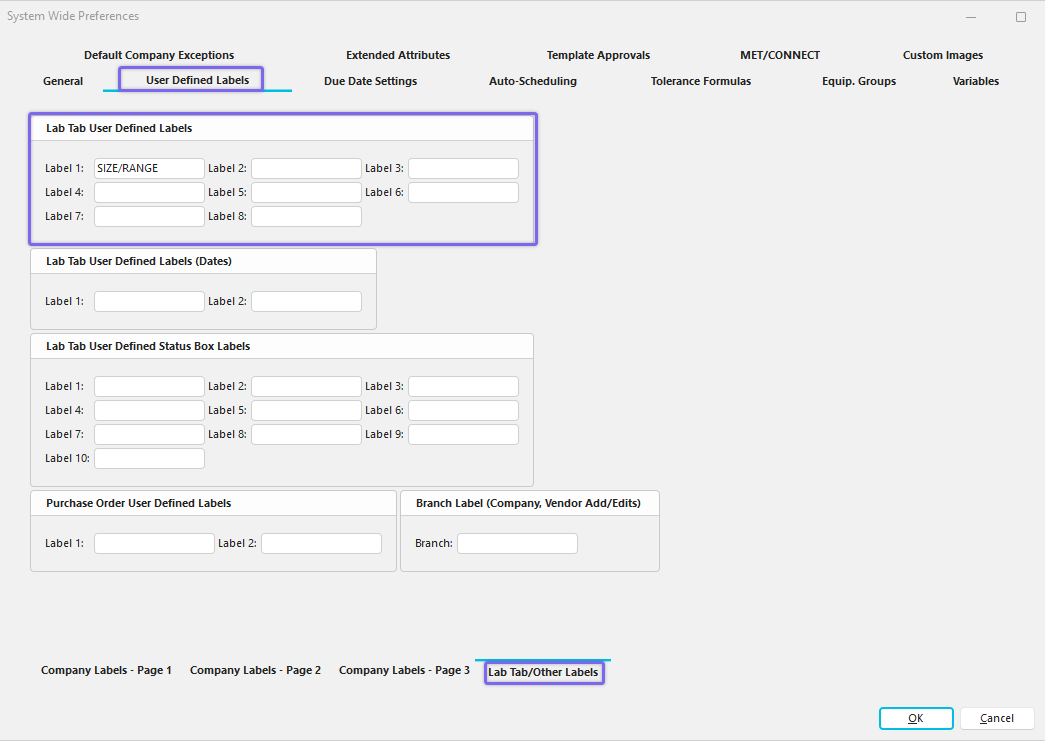
System-Wide Preferences - Lab Tab User Defined Labels
Add/Edit Lab Custom 1-8 Lists
To add to or manage the Lab Custom 1-8 in Dashboard View, click the Add/Edit menu on the right side of the header and select System Wide -> Lab Fields --> Lab Custom # from the drop-down menu. Note: If you have modified the Lab Tab User Defined Labels as described above, then instead of seeing a Custom Lab # in the menu, you will see the new label, such as 'Size / Range' in this example.
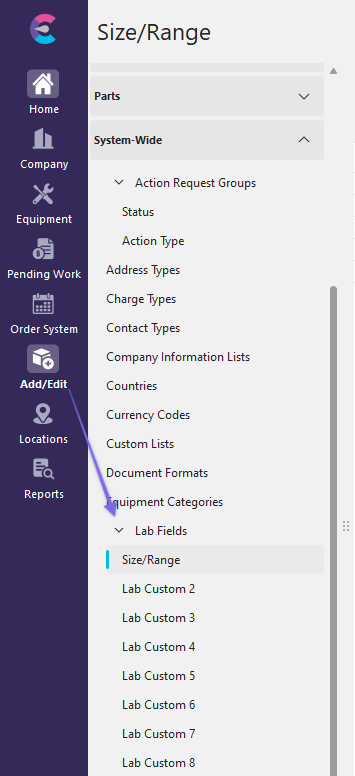
Add/Edit Lab Custom 1 (aka "Size / Range" in this example)
Click  'New Item' to add a new Lab Custom list or
  to 'View/Edit Item.'
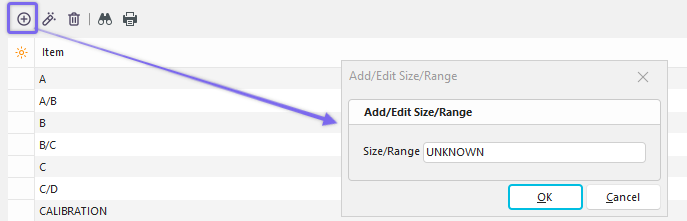
Add New Lab Custom List (aka Test 1)
Add (or edit) the Lab Custom List. Click 'OK,' then repeat as necessary. You can add as many terms to the list as you want, then move to another field up to 8.
Using Lab Custom 1-8 Lists in Dashboard Equipment View
The Lab Custom fields must be added in the Equipment View tab when designing the template in Layout Builder. The fields are not shown by default.
Below is an example of the Lab Custom Fields in the Lab box under Equipment View. The location and number of fields displayed are up to the administrator or the person who designs this particular layout/template. Only two fields are shown in this example.
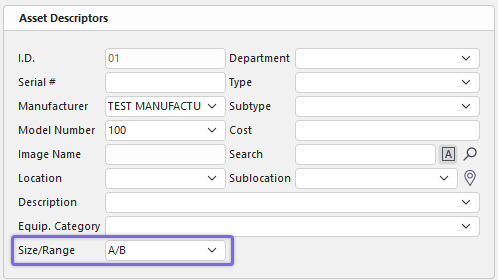
Example of Lab Custom Fields - Dashboard Equipment View
To add or edit the field, click the down arrow to select from the drop-down list you created earlier. Click the appropriate option from the list to enter, and then click the Save Changes  button.
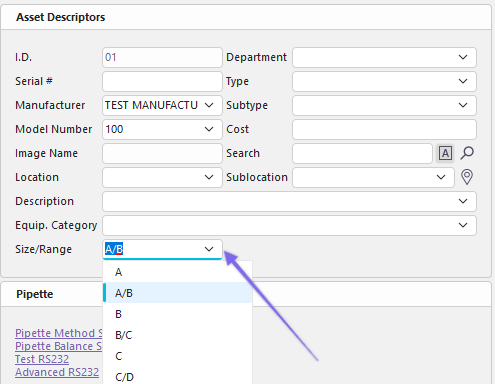
Edit Equipment Field - Lab Custom 1-8 - Dashboard
 Productivity Tip
The Add/Edit Lab Custom 1-8 dialog box can be filtered and customized in many ways. See General Interface for more information.
Buttons and Icons are detailed here.