Unicode and Foreign Language
IndySoft foreign language functionality is achieved through 2 important concepts:
oUnicode Database Upgrade (optional)
oLanguage Settings - Translation Utility (optional)
Upgrading an IndySoft database to Unicode allows data input into any IndySoft screen to include international characters. These characters can be saved to the database from any workstation without being concerned with character sets, etc. Once an IndySoft database has been upgraded to Unicode, then the database must remain as a Unicode database.
The Language Settings utility allows the user interface within IndySoft to be translated into one or more non-English languages. Upon login, users may select one of these languages and view the interface in the translated state. Only one language can be viewed at a time within each login session. In terms of data input/stored to the IndySoft database, however... as long as the database is Unicode, any character can be input/saved correctly, regardless of the language currently used for display.
It is possible to attempt using the Language Settings functionality without upgrading the database to Unicode, but this is not recommended. In this state, data input within IndySoft would depend upon Windows character sets, etc., for proper save/display. Similarly, it is possible to upgrade a database to Unicode but elect not to use the Language Settings functionality to display the IndySoft user interface in a non-English language. This is a more common scenario. Upgrading the database to Unicode could allow for easy input of extended characters on all workstations, even if the workstations only run the default English language for the user interface.
IndySoft Language Settings functionality includes options for quick machine-translation of user interface and logging and translation of custom IndySoft configuration. These translations can then be manually updated by a translator using the included utilities and distributed to other workstations for usage.
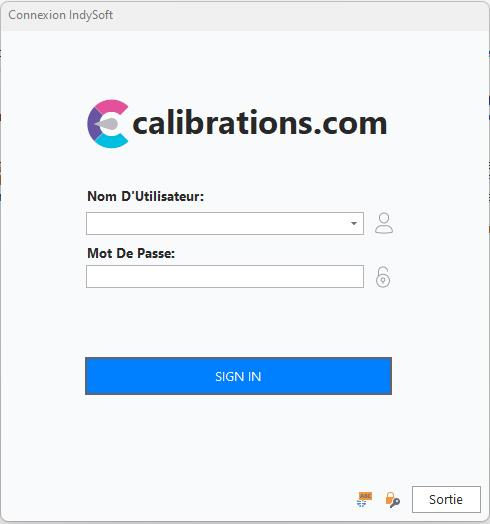
IndySoft Login Example - Profile Manager - French |