Add/Edit...System-Wide...Tax Districts
The Tax Districts List is used in the Add/Edit Companies Wizard.
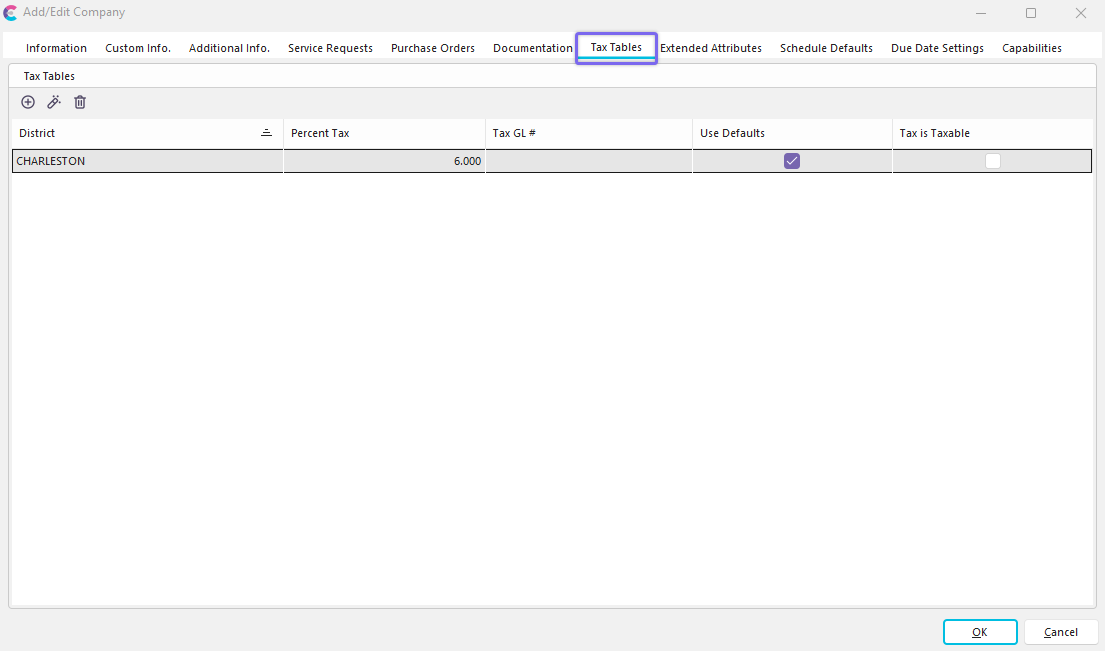
Add/Edit Company Wizard - Tax Tables

Add/Edit Company Wizard - Tax District Example
Add/Edit Tax Districts List
To add to or manage the Tax District list, click the Add/Edit menu option in the left-hand panel and select System Wide --> Tax Districts from the drop-down menu in Dashboard View.
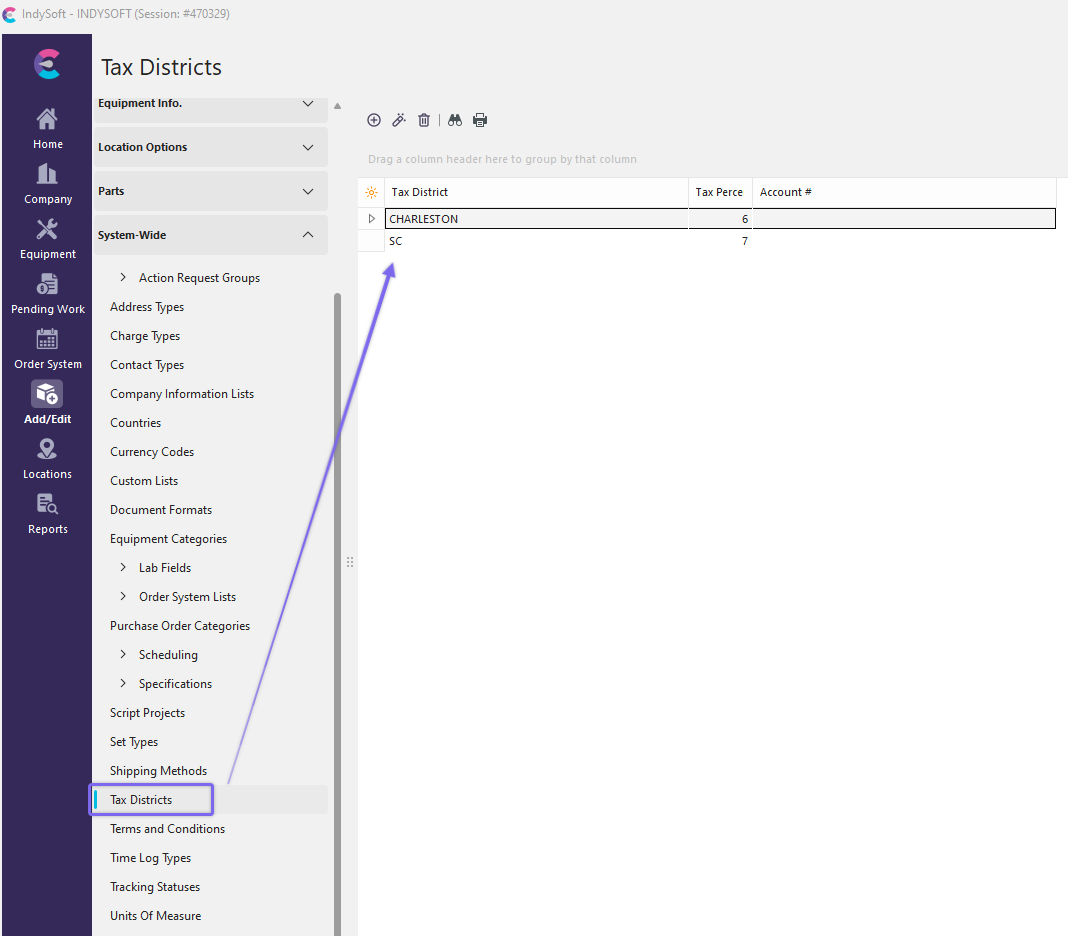
Add/Edit Tax Districts
Click  'New Item' to add a new Item or
  to 'View/Edit Item.'
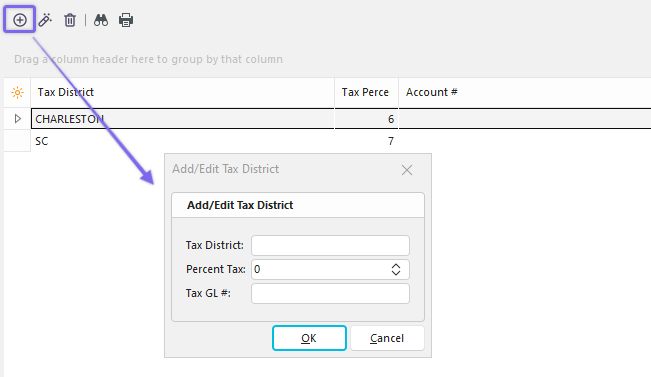
Add New Tax District
Fill in the Tax District, Percent Tax, and Tax General Ledger number (if applicable).
Click 'OK' and repeat as necessary.
 Productivity Tip
The Add/Edit Tax Districts dialog box can be filtered and customized in many ways. See General Interface for more information.
Buttons and Icons are detailed here.