Add/Edit...System-Wide...Time Log Types
Time Log Types List can be created in the Employee Time Log Utility.
Add/Edit Time Log Types
To add to or manage the System-Wide Time Log Types, in the IndySoft header, click Add/Edit and select System-Wide...Time Log Types from the drop-down menu.
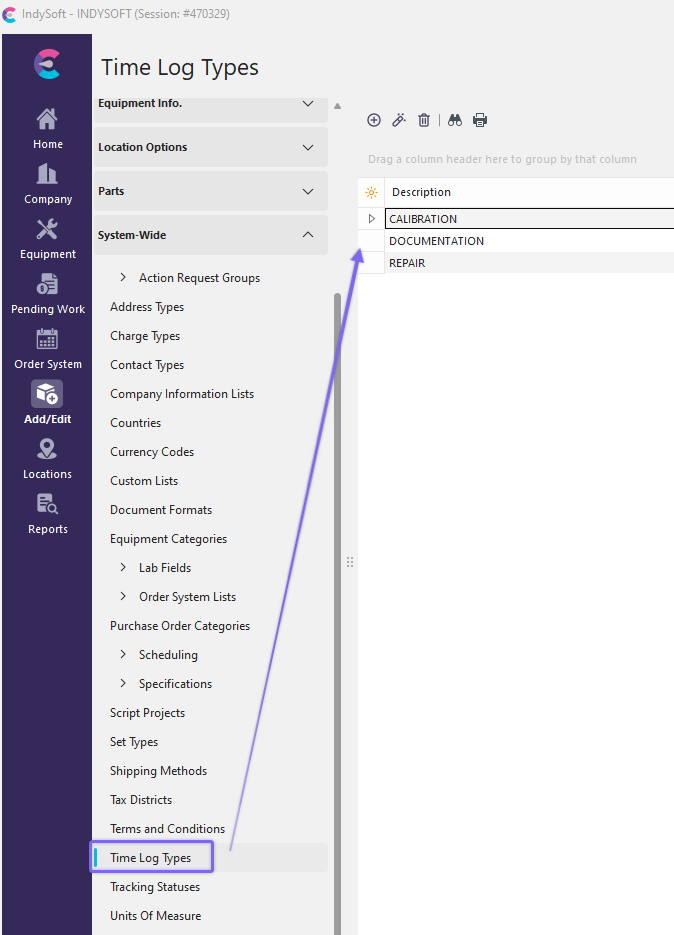
Add/Edit Time Log Types
Click  'New Item' to add a new Item or
  to 'View/Edit Item.'

Add/Edit Time Log Type
Enter the new Time Log Type. Click 'OK' and repeat as necessary.
Using Time Log Types
As mentioned, Time Log Types are used in the Utilities...Employee Time Log.
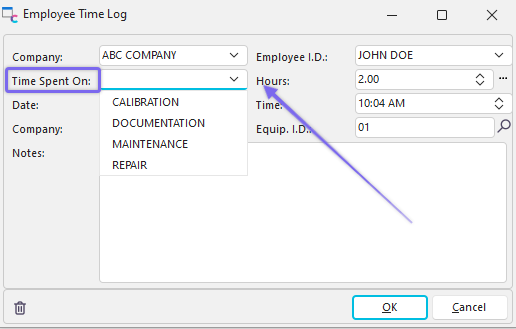
Employee Time Log |