IndySoft Background Printing Utility
IndySoft uses a separate exe to create print documents - not created by the main isdashboard.exe. This design allows the main screen to refresh after events are completed quickly, and the user can continue doing other work while the print job finishes creation - which typically takes a few seconds (possibly more - depending on the complexity of the document and network/database speed). This external utility is located in the IndySoft program directory: indyprint.exe. You will note that this utility pops up a small icon in the Windows system tray when a print job is created. Typically indyprint.exe will automatically close after each print operation.
Note: if you would like for indyprint.exe to remain in memory after each print, then check 'Always Show Printing Utility In System Tray' in User/Location Settings:
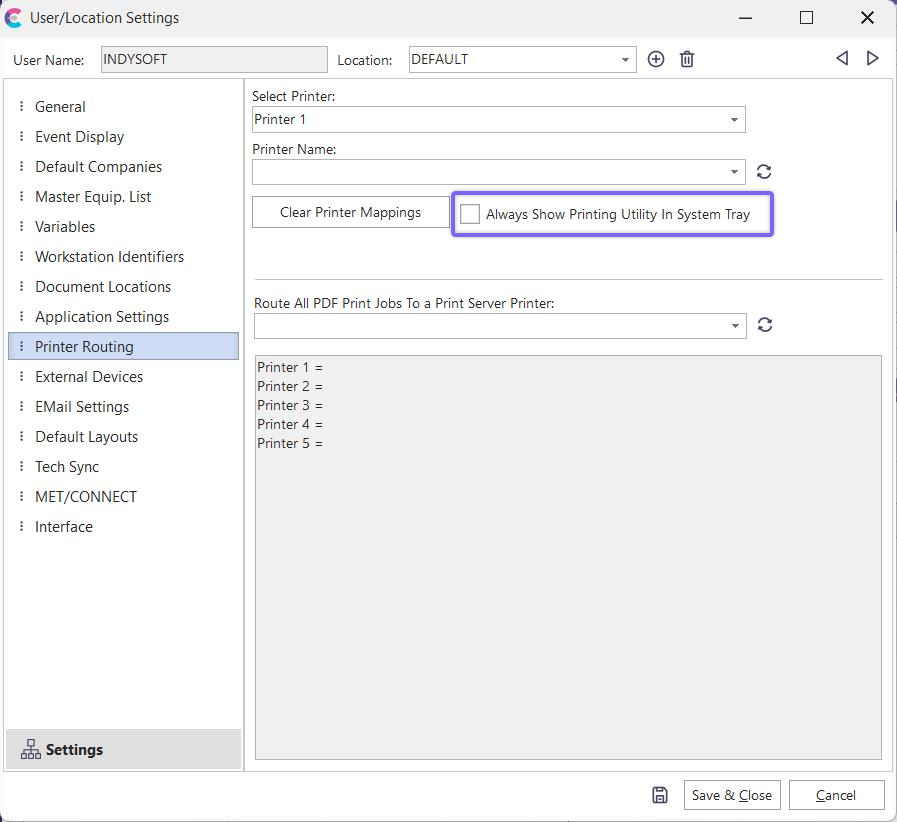
Always Show Printing Utility In System Tray
When the indyprint icon is displayed in the System Tray, you can right-mouse-click to close the utility. To see a listing of all current print jobs for a username, use the IndySoft IndyPrint Admin. utility. |