SQL Utility
The IndySoft SQL Exec Utility is another troubleshooting tool normally reserved for use by IndySoft technical support. To access this utility, you must have SYS ADMIN login credentials (System Administrator privileges). If you are using it without technical support, you should have a general understanding of the DBA code.
Accessing SQL Utility
The SQL Utility can be accessed through the IndySoft Support Utility under the 'Other' tab or directly from your IndySoft program files under 'issql.exe' See below:
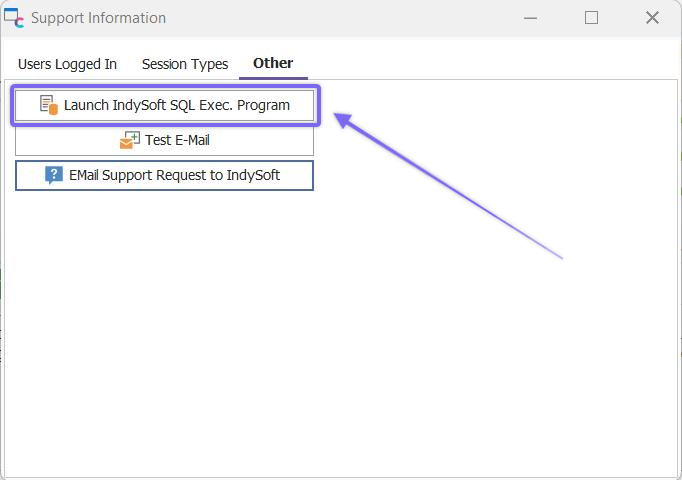
IndySoft Support Utility - Other Tab
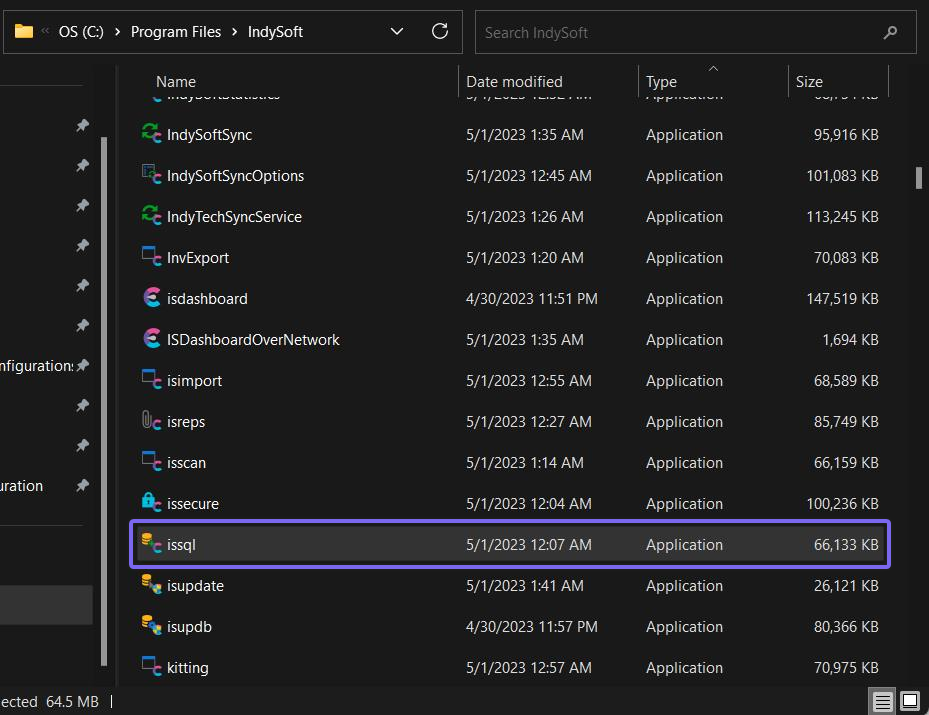
File Explorer - SQL Utility 'issql.exe'
SQL Utility Interface
The SQL utility will provide you with the following information:
·Your current SQL statement (SQL box)
·Current SQL statement execution information (Results box)
·Your recent SQL statements (Recent SQL box)
·Query results (bottom grid box)
In the example below, we have executed a SQL select statement to locate 'ABC Company.'
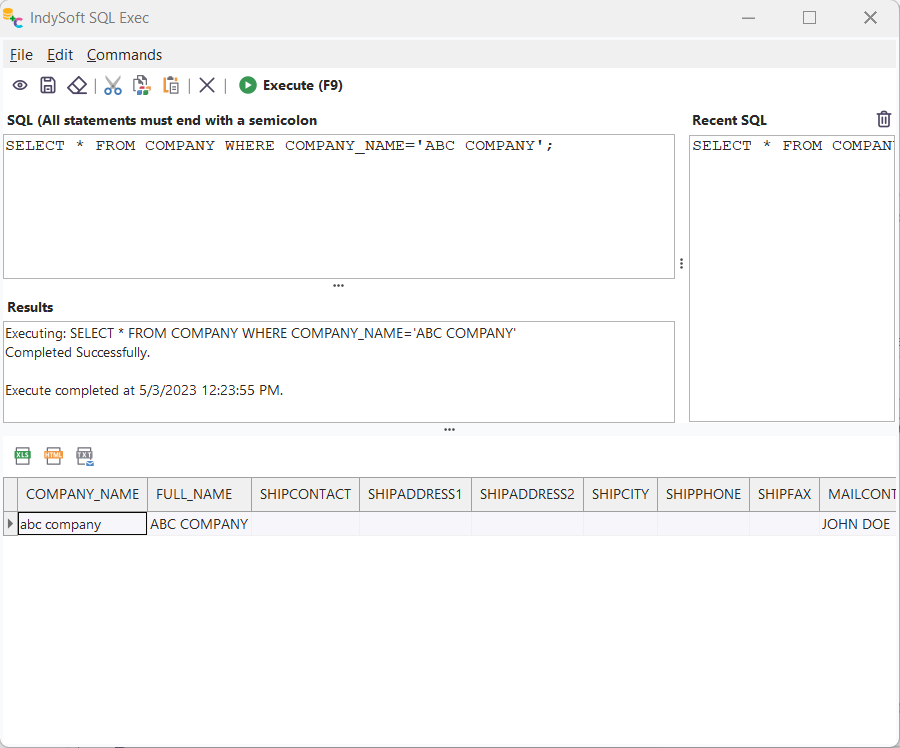
SQL Exec Utility
Buttons & Icons
|  | Open a script file
|  | Save current script
 | Erase current script
 | Cut
| Cut | Copy
 | Paste
 | Stop (execution)
 | Execute query (Keyboard shortcut: F9) |
After the successful execution of your query, you may export your resulting grid data in the following ways:

· Send Data to Excel (.xlsx)
· Send Data to HTML (.html)
· Send Data to Text (.txt) |