Add/Edit...Equipment Info...Model Numbers
Model Numbers of the equipment you are adding to your database can be added in two ways. The first way is while you are populating the information while adding new equipment to a company in Equipment View. The second way is from a master list in Equipment Info. of model numbers that you have added previously.
Adding Model Numbers in Equipment View
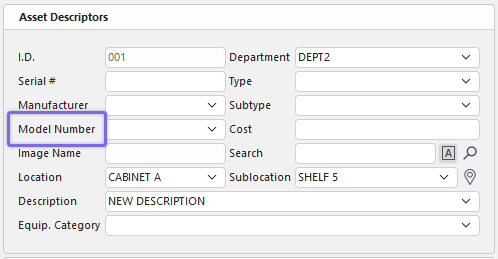
When adding new equipment to a company using Equipment View, a list of model numbers can be accessed using a drop-down menu in the Model Number field. But the numbers in that field are linked to the Manufacturer name, which must be entered first before you see the drop-down list.
 ../Storage/indysoft-help-publication/bw_clip0298.png
Adding Model Numbers in Equipment View
 ../Storage/indysoft-help-publication/bw_clip0299.png
Edit Equipment Field
In the Equipment Fields, clicking the  will open the Edit Equipment Field dialog. You can type a new Model Number, start typing one already populated, and the number will display, or select a Model Number from the drop-down list. Click the
  to accept or the
  to cancel. Clicking
  will move you forward or back in the Equipment View fields. You can also edit/delete the text in this field.
Note: You can enter a Model Number without a manufacturer. You won't have a list to select from. Also, remember the drop-down list will only be populated if you have entered the model numbers previously in the field or from the master list, which is explained next.
Add/Edit Model Numbers List
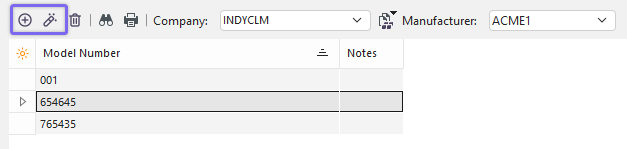
To add to or manage the Model Number list, in the IndySoft header, click Add/Edit, then select Equipment Info...Model Number from the drop-down menu.
 ../Storage/indysoft-help-publication/bw_clip0300.png
Add/Edit Model Numbers
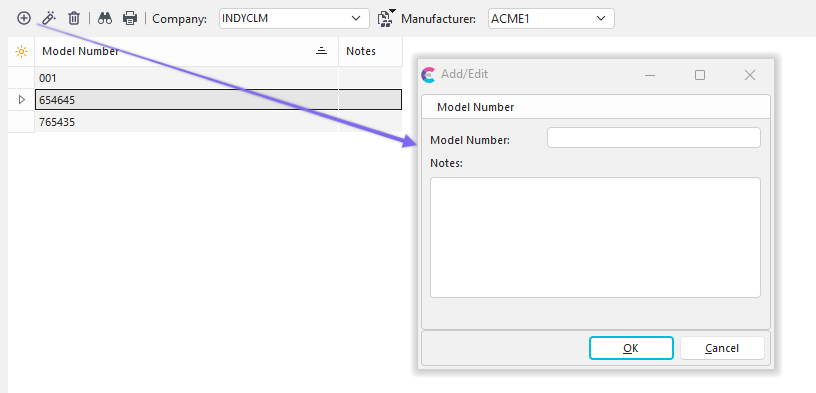
Be sure you're adding Model Numbers to the right Company AND Manufacturer. Click  'New Item' to add a new Model Number or
  to 'View/Edit Item.'
Note: A 'Manufacturer' list must be created first before it will show in the above dialog.
 ../Storage/indysoft-help-publication/bw_clip0301.png
Add Model Number Dialog
 Productivity Tip
The Add/Edit Model Numbers dialog box can be filtered and customized in many ways. See General Interface for more information.
Buttons and Icons are detailed here.