Uncert. Budgets
 Note: this topic is only relevant to users that have purchased the IndySoft Uncertainty Module. Please get in touch with IndySoft Sales for more details. This topic is duplicated in the Uncertainty Module help file.
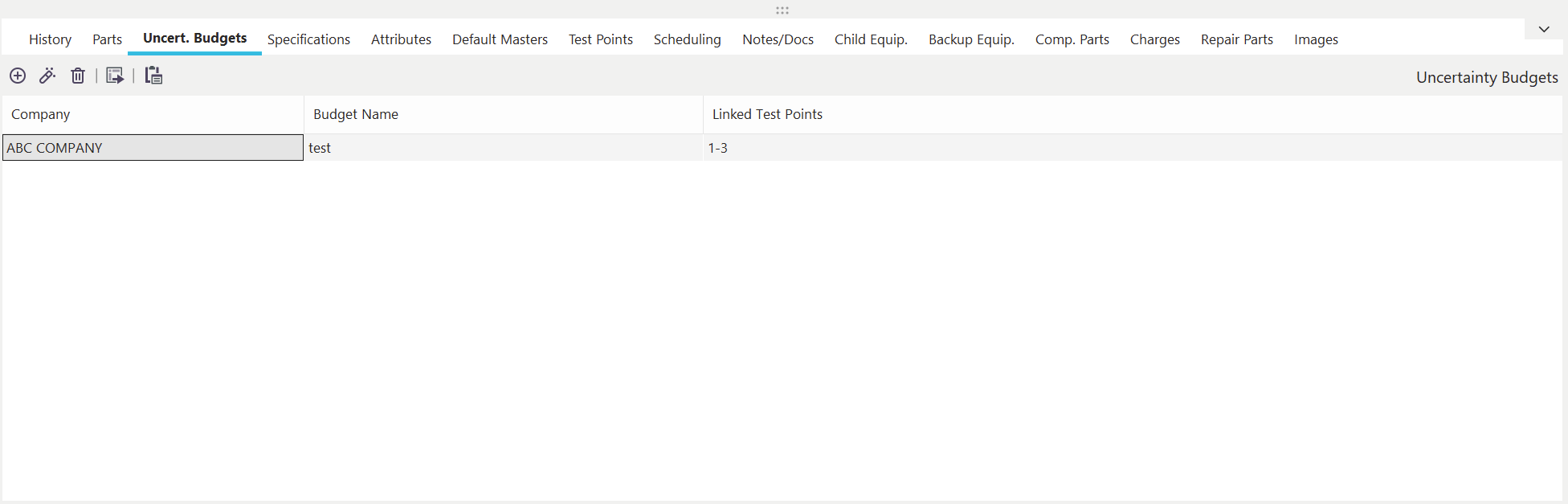
IndySoft Main Screen - Budgets Tab
When the IndySoft Uncertainty Module is installed, you will notice a new tab called' Uncertainty' on the IndySoft main screen. This tab allows for inputting two types of information: Attributes and Budgets.
Uncertainty Budgets are associations between the various default test points setup for the current equipment and an Uncertainty Budget setup in the Uncertainty Module. These Budget associations can be set up between one or more test points per budget. However, each test point can only be associated with one unique uncertainty budget. The user will be prevented from saving the Uncertainty Budget association if the test point has already been associated with another budget for this equipment. To associate an Uncertainty Budget with multiple test points, use dashes and/or commas to specify a range (much as you would do in Microsoft Word when specifying a range of pages to print, for instance: 1-4, 6, 7-10, 12
To add an Uncertainty Budget association, press the 'Add Item' button above the grid. Press the 'View Item' button to edit a previously saved item. When adding/editing an Uncertainty Budget association, you will see the following screen:
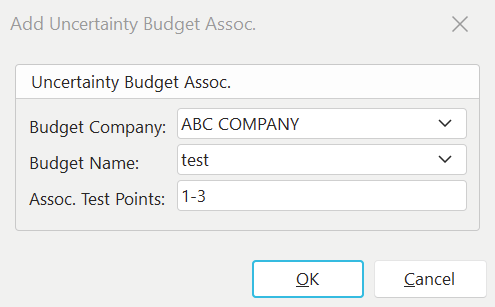
Add/Edit Uncertainty Budget Association
To delete an Uncertainty Budget association, highlight the appropriate Budget in the grid, and press the 'Remove Item' button. The deletion must be confirmed before completing.
 Use this button to launch the Uncertainty Module. See the section Uncertainty Module - Overview for more details.
Associating Uncertainty Budgets With Test Points
There are two methods for associating Uncertainty Budgets with Test Points.
·Uncert. Budget Company / Uncert. Budget Name Fields in Test Point setup grid.
·Uncertainty Budgets Tab on Equipment View (explained above). Note: Prior to IndySoft Version 10x, this was the only method available for associating Uncertainty Budgets.
Each method has its advantages. The Uncertainty Budgets tab allows for quickly associating test points in batch. A range of test point #'s can be input, like 1-5. The disadvantage is that on occasion, these Test Point #'s might need to be changed (you might add a new Test Point in between test points 3 and 4, for example), requiring these Uncertainty Budget associations to be edited (to map to 1-6, instead of 1-5). The Uncert. Budget Company and Uncert. Budget Name fields in the Test Point setup grids can be specified for every test point, allowing maximum flexibility.
It is also possible to start from the test points already mapped on the 'Uncert. Budgets' tab in Equipment View and port them to the Test Point grid instead. To perform this operation, go to the Uncert. Budgets tab and click on the  'Transfer Uncertainty Budgets to Test Point Grid Columns' button:
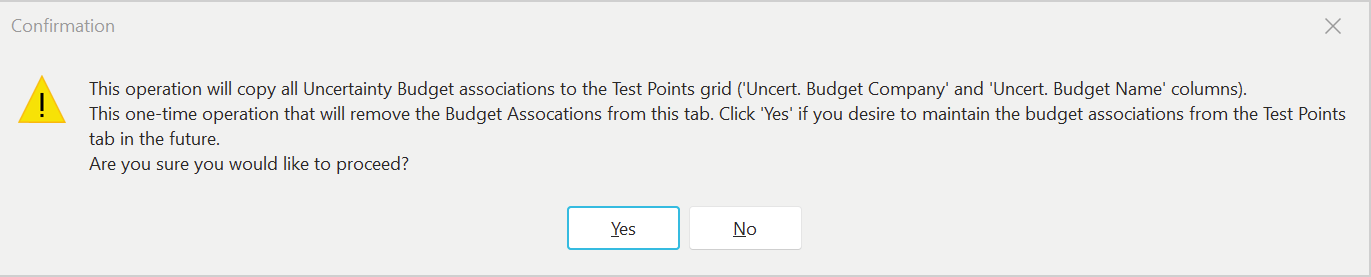
So once this one-time operation is performed, the mappings now live in the Test Points grid, and it is assumed that you will NOT be tracking them through the 'Uncert. Budgets' tab. However, it is important to remember if a scenario exists where Uncertainty Budgets are still mapped using the 'Uncert. Budgets' tab for an asset AND Uncertainty Budgets are specified in the Test Point setup grid for the same asset... then the 'Uncert. Budget' tab associations will win. In these situations, when any event is run where Uncertainty calculations are relevant for this asset, you will see the alert below upon event startup:

If a conflict exists, a similar alert will also appear each time a new Uncertainty Budget association is added to the Uncert. Budgets tab. It is best to clean up any of these inconsistencies as found - to remove any confusion.
Finally, note that even if the older 'Uncert. Budgets' tab is used for associating Uncertainty Budgets with test points - then the 2 'Uncert. Budget Company' and 'Uncert. Budget Name' fields are still helpful to map for display in the test points grid. Because when the event is performed, these two fields are populated with the name of the Uncertainty Budget used for the Uncertainty calculations (even if learned from the mapping on the Uncert. Budgets tab in Equipment View). So, in either case, these test points fields provide an audit log of the exact Uncertainty Budget used to calculate Uncertainty. |