Repair Parts
Default Repair Parts can be added for equipment through this dialog/tab. These repair parts are automatically added to events with the Event Tabs - Choose Service/Repair Parts and Charges step visible.
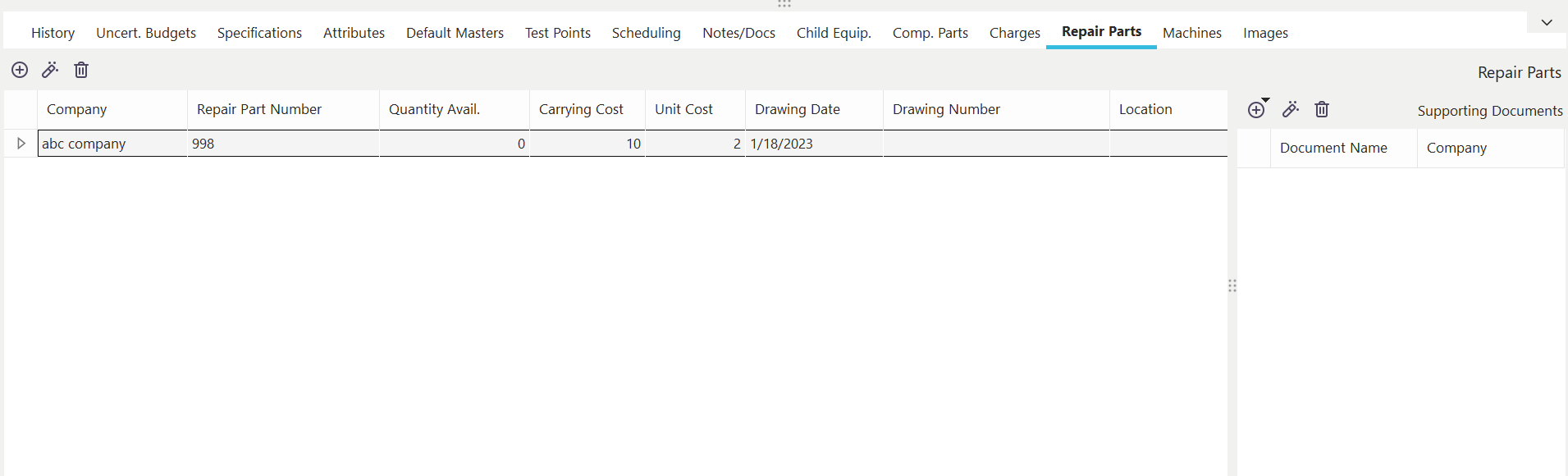
Repair Parts Dialog/Tab
Here you are making an association between a repair part entered previously in the Add/Edit...Parts...Service/Repair Parts wizard and the current asset. Note: this association can be made in reverse by using the 'Associated Equipment' (Step 4) step in the Add/Edit...Parts...Service/Repair Parts wizard.
Each repair part record can have an unlimited number of Supporting Documents.
 Add New Repair Part
Use this button to add a new repair part for the selected asset. You will use the Find Serv./Repair Parts dialog to locate a part.
 View Repair Part
Use this button to edit the selected repair part. This operation is equivalent to editing the service/repair part in the Add/Edit...Parts...Service/Repair Parts wizard.
 Delete Repair Part
Use this button to delete the selected repair part. You must confirm the deletion before proceeding.
Equipment Tabs - Repair Parts
hm-find-serv-repair-parts.md