Correlation Formula
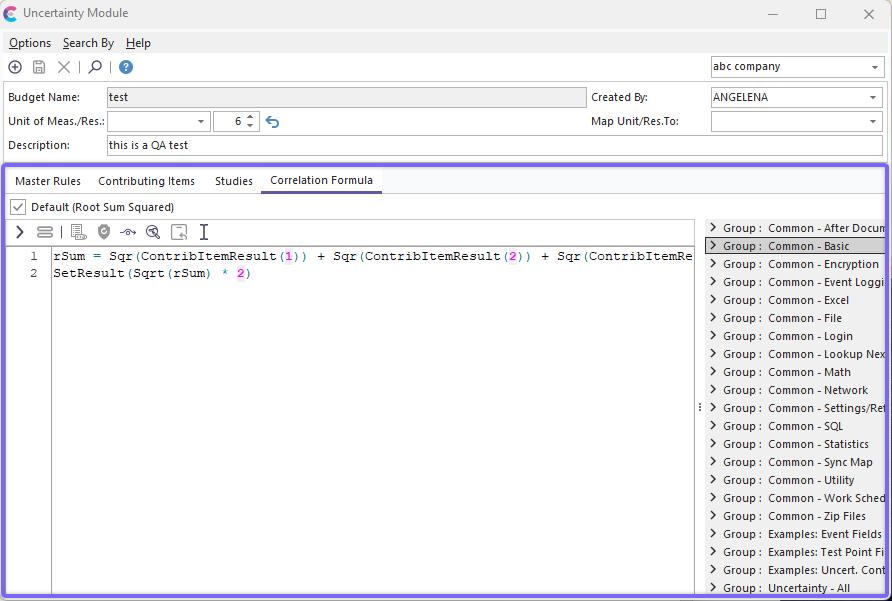
Correlation Formula Tab
The Correlation Formula tab is used to specify the relationship between the 'Standard Uncertainty' value of each Contributing Item, as they are correlated to return the final Uncertainty value for the budget. There are two modes for Correlation Formula per Uncertainty Budget - either 'Default' or non-Default. If 'Default' is checked, then the VBScript window is disabled. In this 'Default' mode, the Contributing Items' Standard Uncertainty values are correlated by a 'Root Sum Squared,' then multiplied by 2. If a different correlation is needed, then de-select 'Default.' The VBScript window will enable, allowing for the input of your correlation script. Generally, this script would primarily use the ContribItemResult function, which returns a particular contributing item's 'Standard Uncertainty' value. When this 'Default' button is de-selected, the initial script code defaults to a 'Root Sum Squared multiplied by 2' scenario.
For more notes on the wealth of functions/procedures native to VBScript, see the VBScript Help topic. For more notes on the functions specific to the Uncertainty Module (that return live event data, etc.), see the following topics:
SetResult
LookupStudy
LookupAttributeGage
LookupAttributeMaster
ContribItemResult
SetCommonVarNumeric
ReturnCommonVarNumeric
LookupNumericField
LookupStringField
To test the VBScript you have edited, press the 'Test Script' button to the right of the Script Editor. When scripts are executed within the IndySoft event system, the live field data is automatically entered into the VBScript at the appropriate times. However, live event data is unavailable when debugging the script within the Uncertainty Module. For this reason, if example data is required by the VBScript when performing a 'Test Script' operation, the user will be prompted to type the appropriate field data, select an appropriate example gage, etc. This tool is provided so users can save time when creating VBScript - so they do not have to perform an actual IndySoft event to test the result. |