Client Computer Setup/Usage
To set up a client computer to read the database information provided by the temperature/RH logging application, launch User/Location Settings on the client computer. This can be done from the 'Options' menu or within IndySoft. Locate the 'Ext. Devices' tab, and note the 'Date Logger Name' field:
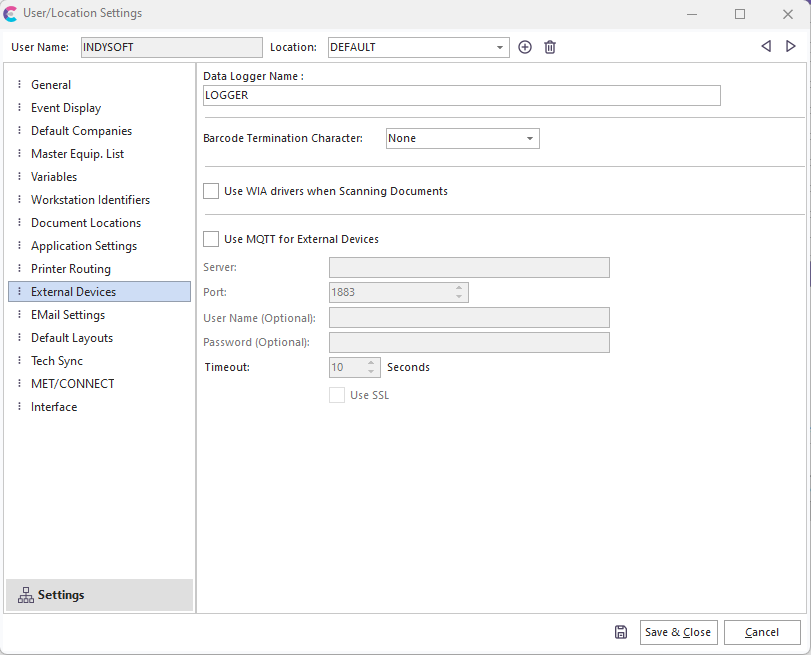
User/Location Settings - External Devices
The 'Data Logger Name' must match the 'Logger Name' specified on the 'Application Settings' tab of the temperature/RH logging application. IndySoft will have to be restarted on the client's computer for any changes to take effect. Once this has been configured, the temperature and humidity fields for IndySoft events will be automatically filled with the values from the data logger. |