Server Log
Use the server log to review startup, shutdown, connection, and disconnection actions on the server. Error messages are also shown, when applicable. The server log is continually populating. After 5000 entries the current log is archived to a file name with a suffix matching the date/time of the archive, then a new server log file is created. This server log file might be requested by IndySoft Support during debug.
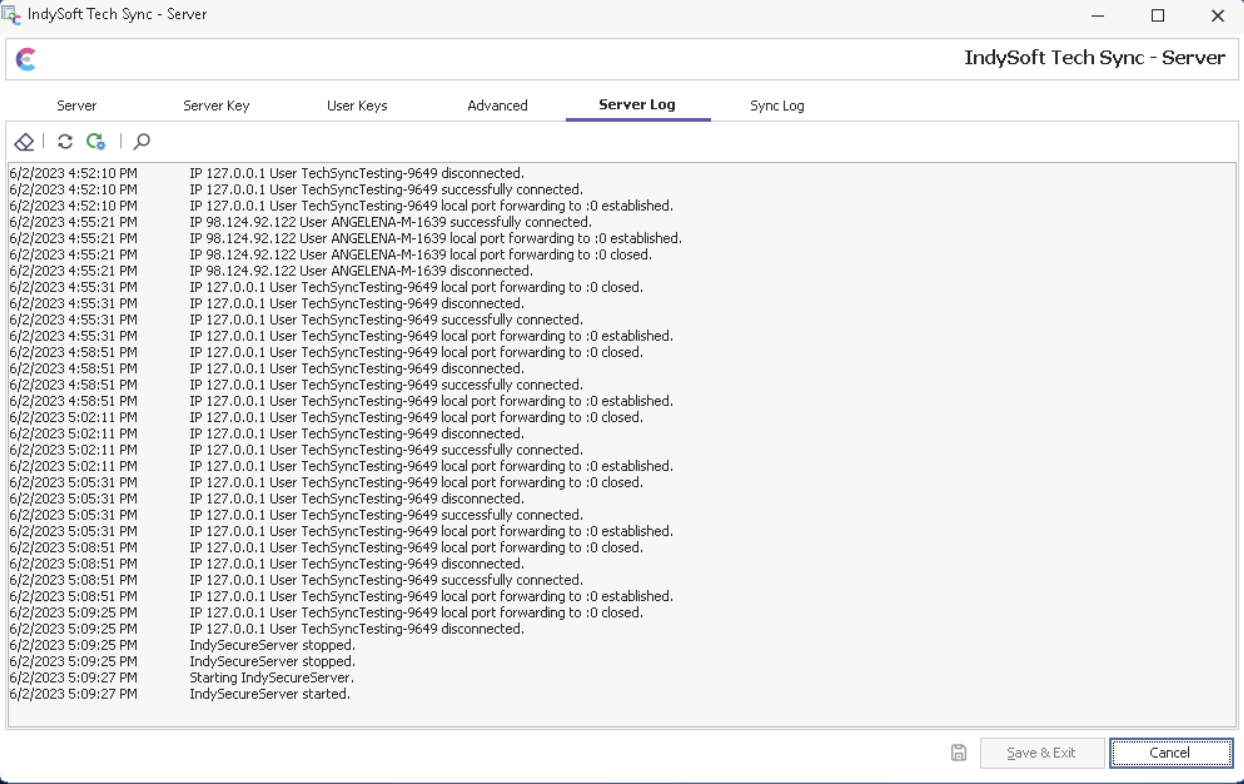
IndySoft Secure Server - Server Log
4 buttons are available above the log grid:
· Clear Server Log: clears the contents of the current server log. Caution: this operation cannot be undone.
· Reload: Forces a reload of the current server log.
· Auto-Refresh Server Log: toggle this button down to refresh the server log automatically once every 3 seconds.
· View Server Log File - As Text: this launches the same server log in Notepad. Note that this text file is not continually updated after launch (the log is still populating behind the scenes, however). Note: the same text-based version of the log is always maintained in the 'IndySecureServer' directory under User public files, typically:
C:\Users\Public\Documents\IndySecureServer\IndySecureServer.log |