Add/Edit...Equipment Info...Machines
The Machines tab/dialog in Equipment View allows you to attach or cross-reference equipment to a particular machine. The list of machines can be viewed in Dashboard under the Equipment View tab in the Details Window if it has been made visible when designing the template.
Add/Edit Machines List
To add to or manage the Machines list, in the IndySoft header, click the Add/Edit option from your dashboard and select Equipment Info...Machines from the drop-down menu.
 ../Storage/indysoft-help-publication/bw_clip0288.png
Add/Edit Machines
Be sure you're adding Machines to the right Company. Click  'New Item' to add a new Machine or
  to 'View/Edit Item.'

Add New Machine
Accessing the Lists
When viewing the list either in Equipment View...Details...Machines or the Machines Tab, you can add/edit the list there instead of the previous method for the company for which the equipment is selected.

Add/Edit Machine in Equipment View - New, View/Edit, or Delete.
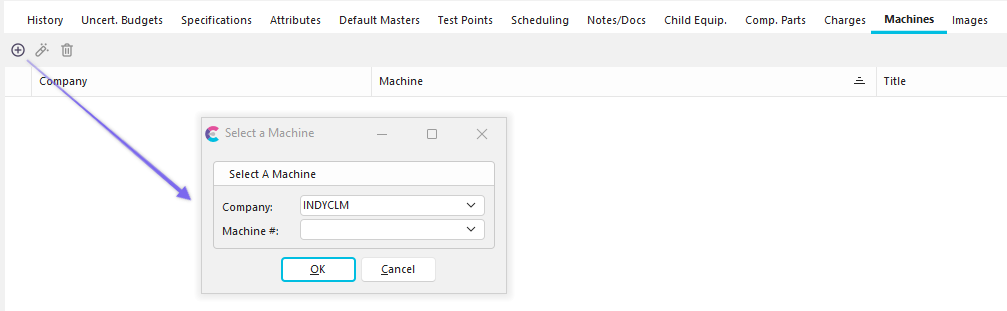
Add/Edit Machine in Equipment View - New, Dropdown options, and "Supporting Documents" feature.
You may notice on the right side of the dialog box above that you can add, view or delete 'Supporting Documents.'
 Productivity Tip
The Add/Edit Machines dialog box can be filtered and customized. See General Interface for more information.
Buttons and Icons are detailed here.