Language Selection/Usage
IndySoft user interface can be translated for any language (see Language Settings Utility). If these language files have been provided to the IndySoft workstation, the language will be available for selection. There are two convenient ways to change the current language in the interface:
1. From IndySoft login screen:
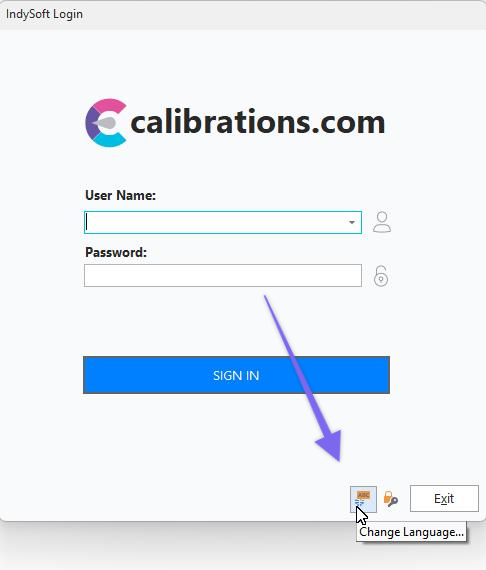
Login Screen - Change Language Option
2. From IndySoft main screen header:
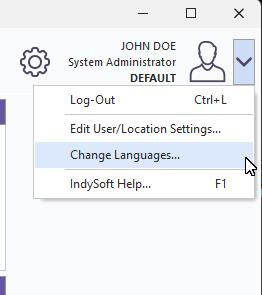
Dashboard Main Screen - Change Language
Either option will first exit the IndySoft main screen and then immediately launch a small dialog (ChangeLang.exe) as shown below:
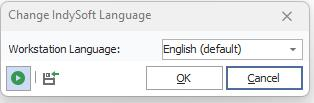
Change IndySoft Language Dialog
Select the desired language from the drop-down and press OK. If the 'Re-launch IndySoft' button is toggled down, then the IndySoft main screen will be immediately re-launched after the OK button is pressed.
If the language you desire is not shown in the drop-down, the language files have not yet been installed on the current workstation. Use the 'Import Language Files' button on the same dialog to quickly import all necessary language files from an IndySoft translation ZIP - as created in the Language Settings Utility by a translator. |