Results For Study
Results For Study
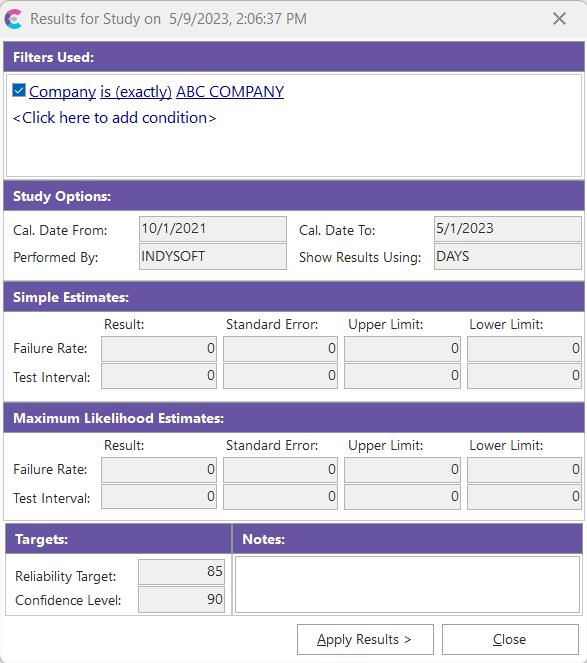
Once a study is completed, this dialog will display the resulting interval estimates and a reminder of study setup options:
Filters Used: The gage selection rules used for the current study
Study Options: Lists the event date filters (from/to) used in selecting appropriate CALIBRATION events. It also notes the user is performing the trend analysis and interval used to display results.
Simple Estimates: Displays the Result, Standard Error, Upper Limit, and Lower Limit for Failure Rate and Test Interval.
Maximum Likelihood Estimates: Displays the Result, Standard Error, Upper Limit, and Lower Limit for Failure Rate and Test Interval.
Targets: The Reliability Target and Confidence Level were used in trend analysis calculations for this study.
Notes: Allows users to enter a comment on this study.
If you want to apply these results in a global edit (the interval used in the global edit can be modified from the 'Test Interval' highlighted onscreen), press the 'Apply Results' button. |