Layout Editor Ribbon...Home...List

Home...List Operations
 Bullet List
Creates a bulleted list for the current text - or begins a bullet list for future text. Bulleted lists contain a bullet image to the left of each item. Example:
·Item 1
·Item 2
·Item 3 Numeric List
Creates a numbered list for the current text - or begins a numbered list for future text. Numbered lists contain sequential numbers for each item. Example:
1. Item 1
2. Item 2
3. Item 3
Finally, many of the common options above can be viewed/edited from a single Advanced Bullet and Numbering dialog available from the small arrow in the lower right:

Launch Advanced Bullets And Numbering Dialog
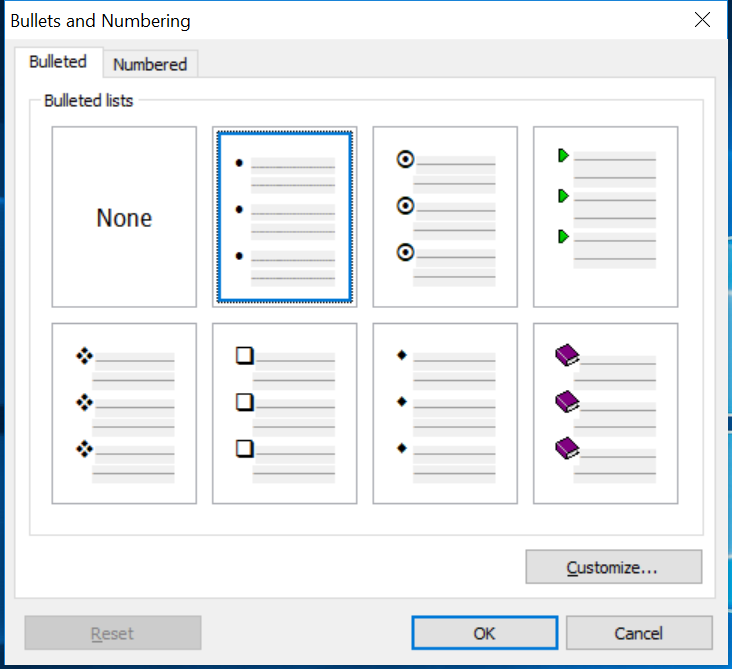
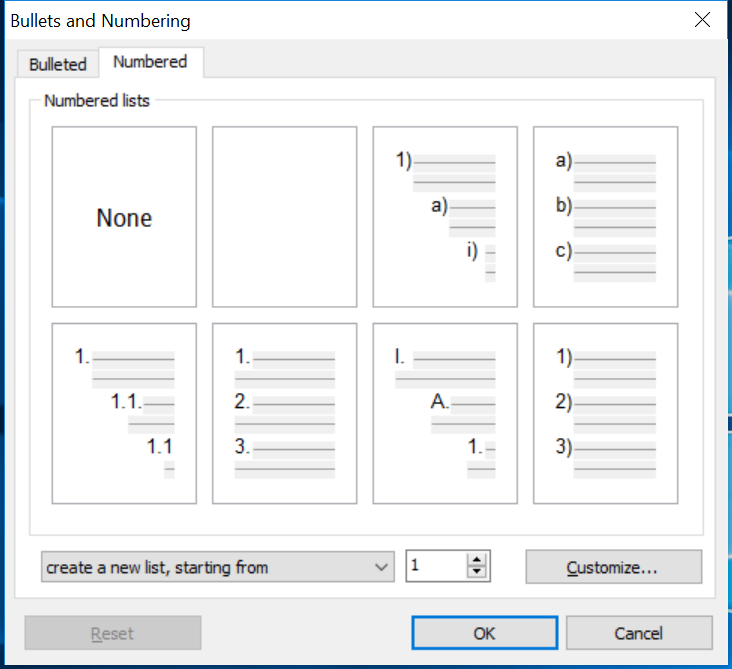
Bullets and Numbering Dialog - 2 Tabs
Select the 'Bulleted' tab for bullet-type lists or the 'Numbered' tab for number-type lists...then select the desired format. To remove the bullet, select 'None' from either tab. For additional bullet options, press the 'Customize' button (once a bullet type has been selected). The following dialog will be displayed (this example is for bulleted lists):
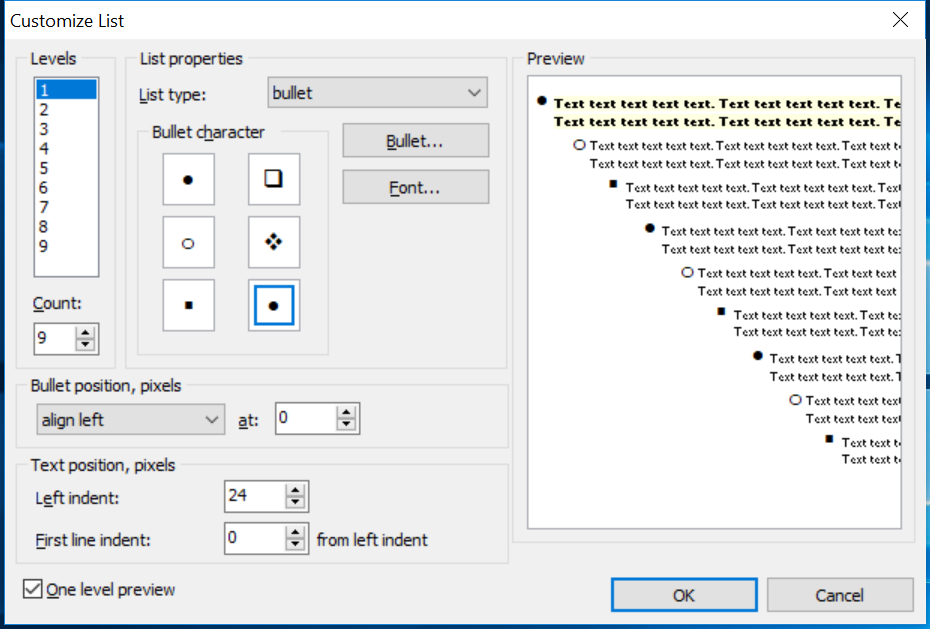
Customize List Dialog
This dialog allows you to set the # of levels used for bulleted lists - 9 is the default. Next, select the 'List Type.' Note that this listing includes bulleted and numbered list types. So you can launch this dialog from the 'Bulleted' tab, select a numeric list type, and switch the bullet to a numeric type, just as you could have done from the 2nd tab on the earlier screen. Depending on the list type, various options, like 'bullet character,' 'number format,' etc, will be displayed below. The font can also be modified (if appropriate). Each bullet position can be aligned left, right, or center to a fixed # of pixels. Text within this bullet can also be specified with a 'Left indent' and 'First line indent,' much like paragraph settings.
Note: Each of the seven default bulleted and numeric settings has these 'Customize' settings presets - so you might save some time trying out these presets before fiddling with the 'Customize' settings |