Test Point Layouts
Test Point Layouts - Overview
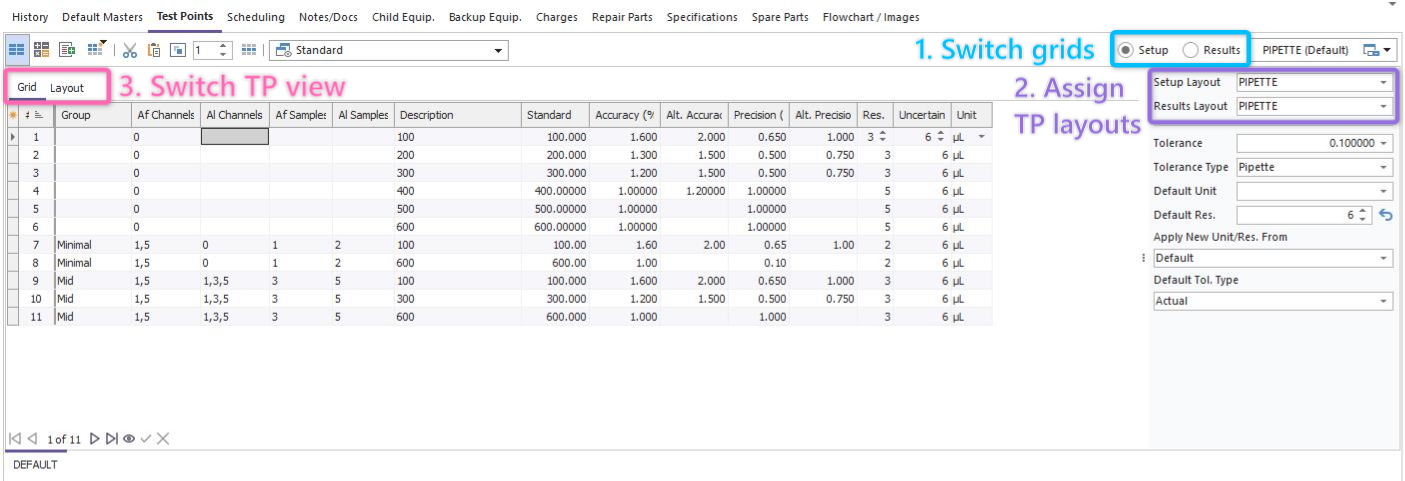
One of the significant new features in version 13 is test point layouts. If you are new to IndySoft, this is located within the Equipment View...Test Points tab. Like past versions, you will still have the ability to customize the Setup Test Point grid as well as the Results Test Point grid. You can easily toggle between these layouts using the radio buttons in the top-right-hand corner of the screen [see (1) in screenshot].
In version 13, we extend this concept even further. You now also have the ability to assign a specific TP layout per individual test point or across the entire asset itself. Along with that, you can even further configure how the test points will behave -- in terms of customizing fields, displaying data, and editing the individual test point.
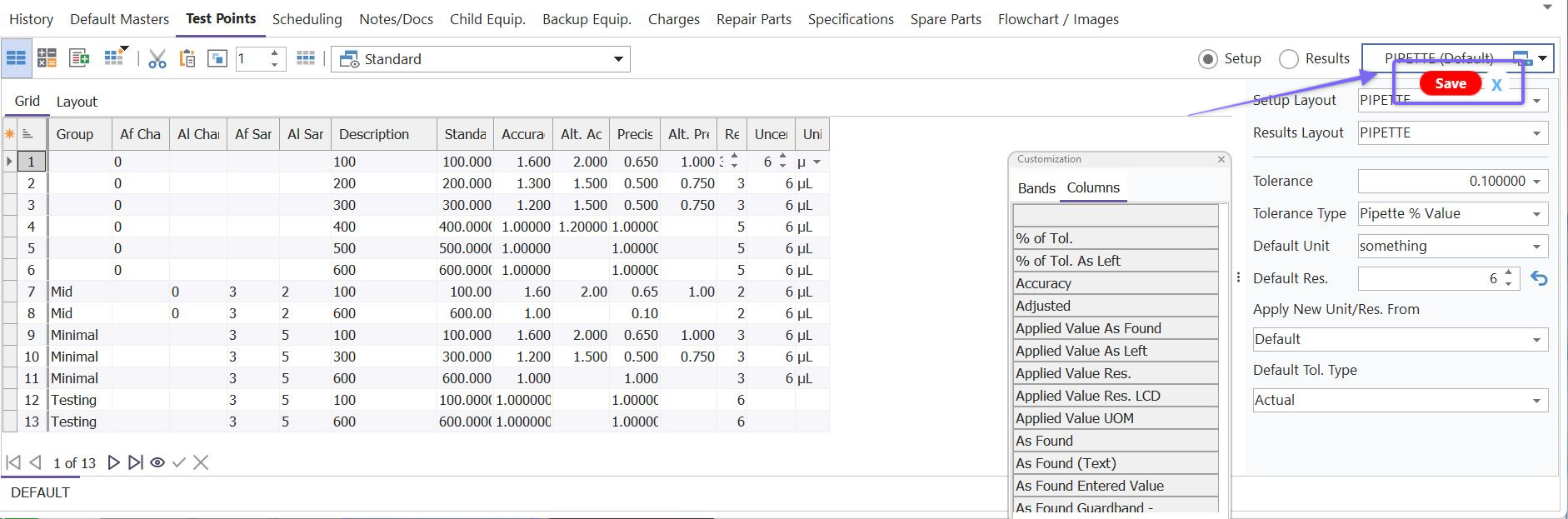
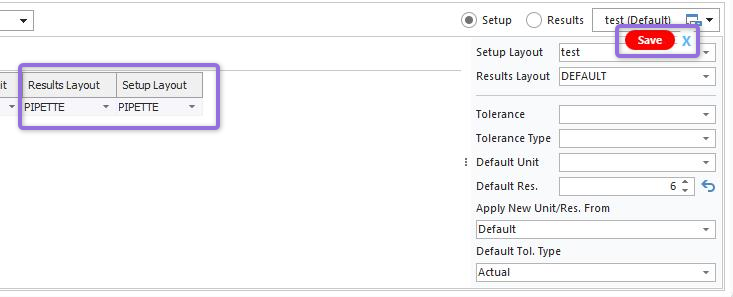
Certain rules are enforced when a test point layout is saved, not only within the user interface but backend operations as well, such as uncertainty calculations and advanced scripting (where applicable). When a change is made within the TP template, a save button will pop up within the dialogs panel:
Creating New Test Point Layouts
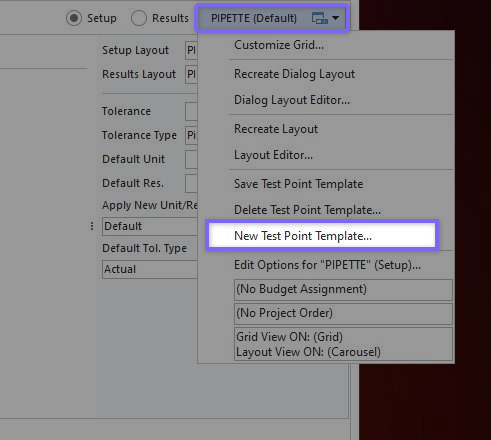
To create a new TP layout, you will use the 'New Test Point Template' option under the layout menu dropdown:
You will then be prompted to enter the name of the new test point template as follows:
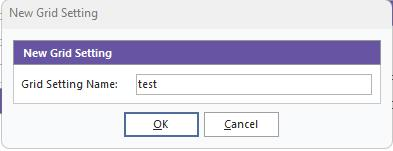
Once saved, this template will now be available to select under either the Setup Layout or Results Layout (depending on which radio button is selected upon creation of the new template)
Editing Existing Test Point Layouts
When it comes to editing test point layouts in version 13, there are a few new features that have been introduced to offer a more immersive test point experience.
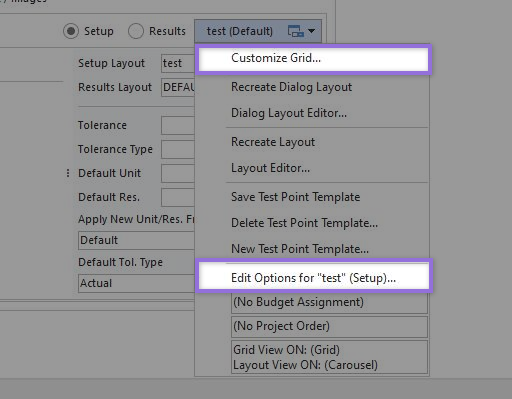
The "Customize Grid" option (as seen in previous versions) allows the user to adjust which fields are displayed in each test point grid. The new feature here is that you can now pull new fields into the grid for "Setup Layout" and "Results Layout." This provides the ability to individually assign a test point template to a specific test point in the grid. This would override the overall test point template assigned in the right-hand panel for that particular test point in the grid. Any time a change is made to the grid that you would like to maintain, you will need to click the red "Save" button that pops up within the grid:
Using New Test Point Layouts
TBD