Guardbanding Setup in PrintBuilder Reports
Note: a sample IndySoft Certificate called GuardbandingExample.rtm is included in your Uncertainty Module installation directory, that includes all the example layout and custom code mentionned in this help topic. To import this example certificate template into PrintBuilder, select the 'Certificates' template type in Printbuilder, and press the 'Import From File' button.
Guardbanding can be easily setup in a IndySoft CERTIFICATE or NON-CONFORMANCE report using PrintBuilder. Highlight the appropriate report, and edit the report using the IndySoft report designer (double-click on the report name in PrintBuilder). Select the CalibrationTestPoints subreport from the tabs on the bottom, and then add the Uncertainty field into your Test Points grid. An example is shown below:
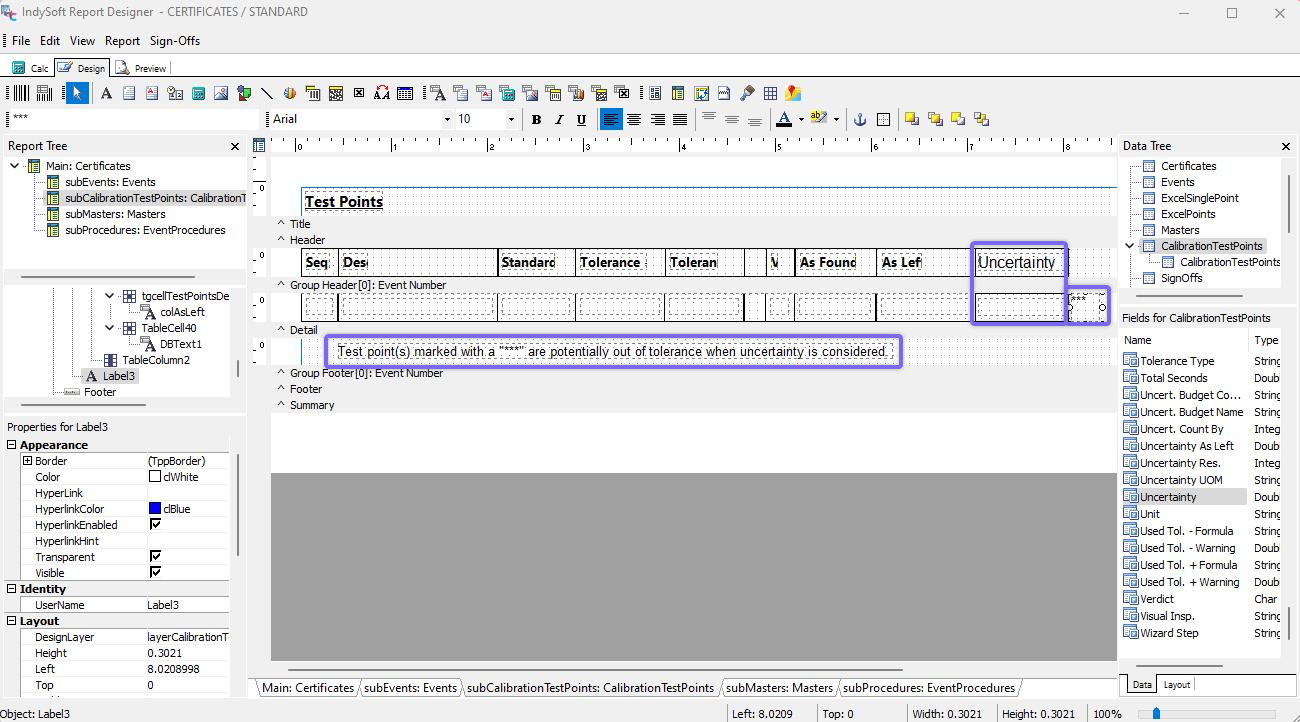
Adding Uncertainty Field to Certificate - Example
In addition to the new Uncertainty field, this example also uses an optional *** for noting whether a test point is potentially out of tolerance when uncertainty is considered. You can setup custom code that will show/hide this *** per test point by using the 'Calc' tab in the IndySoft Report Designer. An example of this custom code is given below. In this case, the BeforePrint event is used for the Detail band of the CalibrationTestPoints subreport.
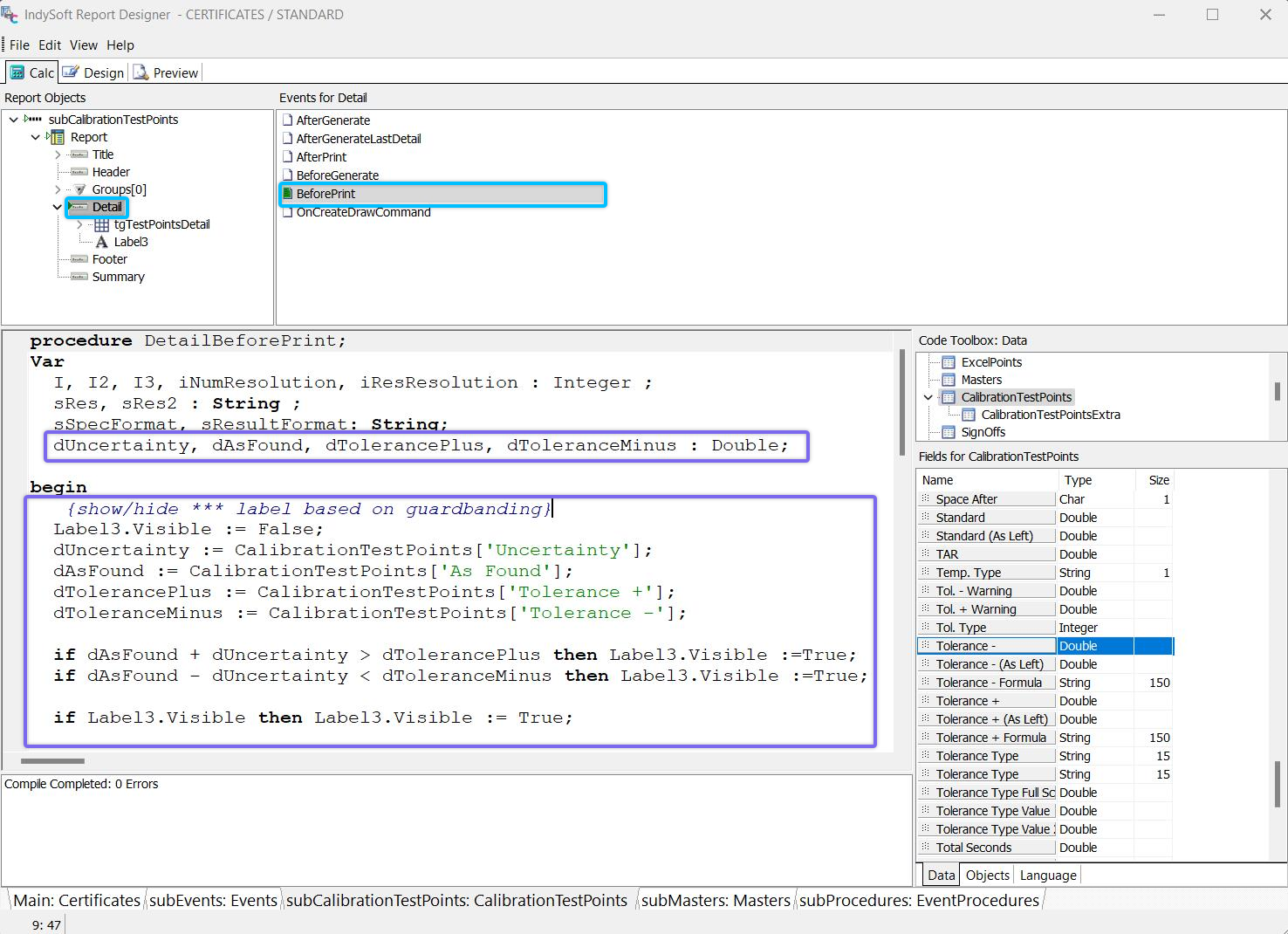
DetailBeforePrint Custom Code for Showing/Hiding Guardbanding Notice
Pascal
Var
  dUncertainty, dAsFound, dTolerancePlus, dToleranceMinus : Double;

{show/hide *** label based on guardbanding}
  Label3.Visible := False;
  dUncertainty := CalibrationTestPoints['Uncertainty'];
  dAsFound := CalibrationTestPoints['As Found'];
  dTolerancePlus := CalibrationTestPoints['Tolerance +'];
  dToleranceMinus := CalibrationTestPoints['Tolerance -'];

  if dAsFound + dUncertainty > dTolerancePlus then Label3.Visible :=True;
  if dAsFound - dUncertainty < dToleranceMinus then Label3.Visible :=True;

  if Label3.Visible then Label3.Visible := True;
Finally, it is likely necessary to format the display of the Uncertainty field in the certificate according to the Resolution specified in the Uncertainty Budget (which is not necessarily the resolution specified for the As Found, As Left, or Tolerance fields.) This uncertainty budget resolution is mapped into a test point custom field by using the 'Map Unit/Res. To' field in the Uncertainty Module. For the purpose of this example, 'Custom 1' has been selected for 'Map Unit/Res. To'. To format the uncertainty value in the test points grid within the certificate, use custom code as shown below:
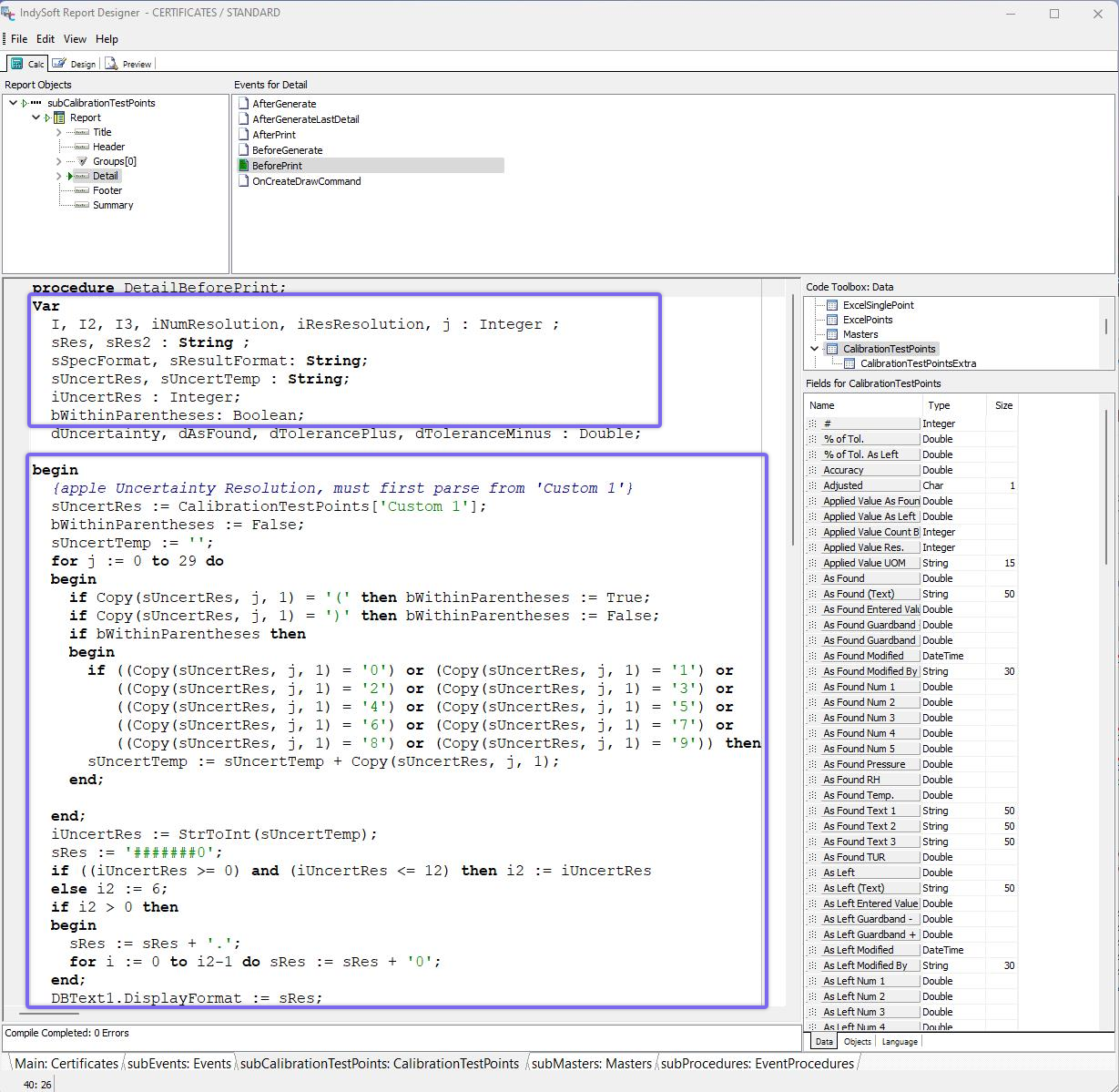
BeforeDetail Code for Applying Uncertainty Resolution
Pascal
Var
  I, I2, I3, iNumResolution, iResResolution, j : Integer ;
  sRes, sRes2 : String ;
  sSpecFormat, sResultFormat: String;
  sUncertRes, sUncertTemp : String;
  iUncertRes : Integer;
  bWithinParentheses: Boolean;
  dUncertainty, dAsFound, dTolerancePlus, dToleranceMinus : Double;

begin
  {apple Uncertainty Resolution, must first parse from 'Custom 1'}
  sUncertRes := CalibrationTestPoints['Custom 1'];
  bWithinParentheses := False;
  sUncertTemp := '';
  for j := 0 to 29 do
  begin
    if Copy(sUncertRes, j, 1) = '(' then bWithinParentheses := True;
    if Copy(sUncertRes, j, 1) = ')' then bWithinParentheses := False;
    if bWithinParentheses then
    begin
      if ((Copy(sUncertRes, j, 1) = '0') or (Copy(sUncertRes, j, 1) = '1') or
         ((Copy(sUncertRes, j, 1) = '2') or (Copy(sUncertRes, j, 1) = '3') or
         ((Copy(sUncertRes, j, 1) = '4') or (Copy(sUncertRes, j, 1) = '5') or
         ((Copy(sUncertRes, j, 1) = '6') or (Copy(sUncertRes, j, 1) = '7') or
         ((Copy(sUncertRes, j, 1) = '8') or (Copy(sUncertRes, j, 1) = '9')) then
      sUncertTemp := sUncertTemp + Copy(sUncertRes, j, 1);
    end;

  end;
  iUncertRes := StrToInt(sUncertTemp);
  sRes := '#######0';
  if ((iUncertRes >= 0) and (iUncertRes <= 12) then i2 := iUncertRes
  else i2 := 6;
  if i2 > 0 then
  begin
    sRes := sRes + '.';
    for i := 0 to i2-1 do sRes := sRes + '0';
  end;
  DBText1.DisplayFormat := sRes;
In the code example above, note that Label3 refers to the '***' text component added on the Design Tab. Label2 refers to the caption below the test points that reads "The test point(s) marked with a "***" are potentially out of tolerance when uncertainty is considered.". Since Label2's Visible property is defaulted to False on the main Design table, Label2 will only display if there is at least one test point that is marked with a '***'. |