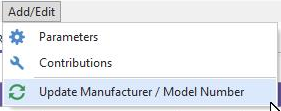
Spec Manager - Add/Edit
Along the top menu bar of the SpecManager, there are two dropdowns: Options and Add/Edit
Add/Edit
Within the Add/Edit dropdown, you will notice 3 options: Parameters, Contributions, and Update Manufacturer/Model Number
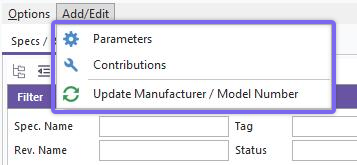
Add/Edit - Parameters
Parameters are used to identify the type of measurement the specification is describing. The Add/Edit Parameters list supplies the dropdown fields in the SpecManager, the equipment level specifications tab, and the Param1 and Param2 fields in the test point grids. You cannot add new items to this list rom the field level.
Many parameters are pre-loaded when you install or upgrade IndySoft -- these are taken from thousands of manufacturers manuals, however you can add new ones if needed.
Note: These are KEY to ensuring equipment compatibility with the uncertainty budget lookups and the ability to swap during calibration. Double check to confirm that the parameter does not yet exist before adding a new one.
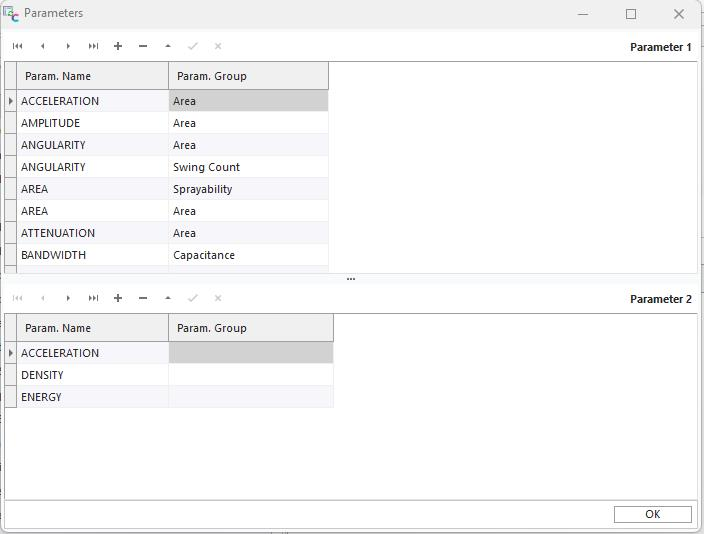
Parameter 1 is the primary measurement type
Parameter 2 is the child or supplementary descriptor.
- For Example: (VOLTS_AC, FREQUENCY), (RTD, PT385_100), (FREQ_SQR, DUTY_RATIO)
Param. Group - Non mandatory, for easier searching
Add/Edit Params - Button Bar

 Go to first record
 Go back/up one record
 Go forward/down one record
 Go to last record
 Add new record
 Delete current record
 Edit current record
 Save current record edits
 Cancel current record edits
Add/Edit - Contributions
Contributions are used to describe the type of error component from the device's specification. The values here represent the source data for the 'Contributor' list boxes - the user cannot add new values via the Specification form field.
Many contributors, taken from thousands of manufacturers manuals, are pre-loaded when you install or upgrade IndySoft - however, you can add new ones as needed.
In reviewing these manuals, we discovered there is an inconsistency across manufacturers in regards to the terms they use to describe the specifications. We at IndySoft have selected the most common naming conventions across manufacturers. For reference, while non-linearity is technically correct, most examples will call it "Linearity" or " Linearity Error". Regardless of how the manufacturer names a particular error type, the user should determine which nomenclature they will use and maintain consistency across all devices. The Add/Edit Contributions list will assist with that.
Note: These are KEYto ensuring equipment compatibility with the uncertainty budget lookups and the ability to swap during calibration. Double check to confirm that the contributor does not yet exist before adding a new one.
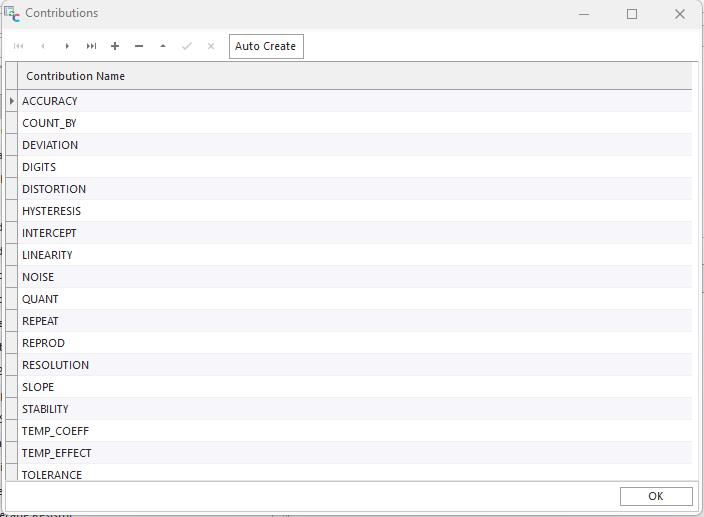
Add/Edit Contributions - Button Bar
- Go to first record
- Go back/up one record
- Go forward/down one record
- Go to last record
- Add new record
- Delete current record
- Edit current record
- Save current record edits
- Cancel current record edits
Use the Auto-Create button to populate the contributions list with the IndySoft defaults: 
Add/Edit - Update Manufacturer/Model Number
The 'Update Manufacturer/Model Number' menu option makes a query to the database which will refresh the available Manufacturer names and Model Numbers which are available in the Man./Model tab of the spec.