Backup Equip.
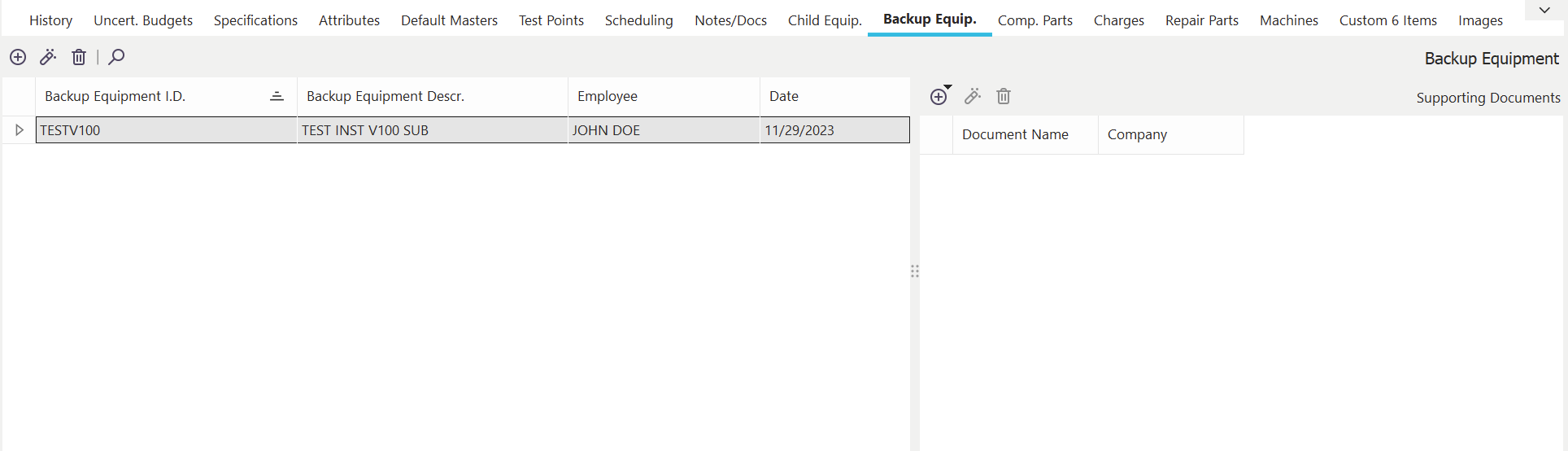
Backup Equipment Dialog
Specifying Backup Pieces of Equipment
The Associations tab has several options to link multiple pieces of information to equipment. You can press the button on the right of the associations tab to select several different options. The dialog below shows a sample of the backup equipment option for the associations tab. The backup equipment tab allows you to specify alternate equipment that will automatically be suggested by IndySoft while trying to select equipment during an event.
 Add New Backup Equipment
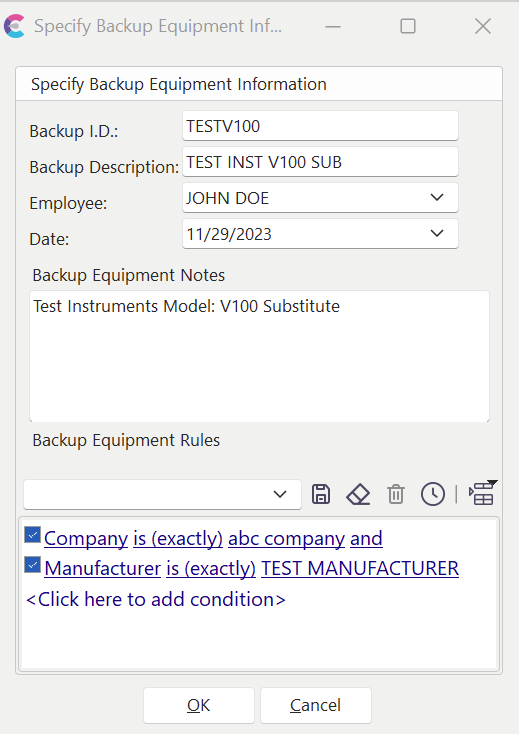
The resulting dialog allows you to qualify the specifications for a piece of backup equipment. Below is a description of each field.
Add Backup Equipment
Backup I.D.
This field is used to store an identifier for the backup equipment. This name must be unique for each piece of equipment.
Backup Description
This optional field can be used as a description for the backup equipment.
Employee
The employee field can be used to specify which employee was responsible for adding the backup equipment.
Date
This option can be used to specify the last date this backup information was modified.
Backup Equipment Notes
This is a field for any comments about the backup equipment specifications.
Backup Equipment Rules
Use this filter to quantify the requirements for a piece of equipment to be considered a 'backup.' These rules will be used whenever IndySoft tries to find a backup gage.
 Viewing Backup Equipment
Press the View Details button to view/modify previously entered backup equipment information.
 Delete Backup Equipment
Use this button to remove the selected Backup Equipment record. A confirmation is given before proceeding. |