Text File Mapping
This option allows you to customize further who receives notification from the alarm.
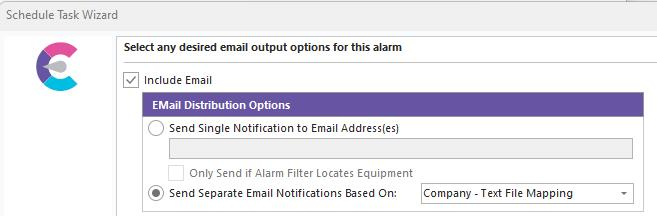
Send Separate Email Notifications Based On:
Checking this box enables the alarm system to generate a standard or custom IndySoft report.
Breakout by Company - Text File Mapping
Using this option, for every Company you have in the file, an email will be sent to the email address found in the Company Record along with the Employee listed in the file.
Setting up the Mapping file
You will create a tab-delimited.TXT file naming this file the same as the Alarm Name.
{Alarm Name} + .TXT
This file will need to contain at least three columns:
Column 1 - The Company that owns the Employee's name to get the Email
Column 2 - Employee name that gets the Email (the name, not the email address)
Column 3 - and beyond = the company (or another breakout) type to be reported on, so you can have multiple columns.
Each new line represents a new report/email.
For example:
The first record of the TXT file could be:
ABC COMPANY JOHN DOE BCD COMPANY CDE COMPANY
In this example)
ABC COMPANY's JOHN DOE employee would get a report on 'BCD COMPANY' and 'CDE COMPANY' - assuming 'JOHN DOE' has a valid email address setup in Add/Edit...Employees.
Create an Email Distribution Rule setting the Email To value to Employee From Text File. |