Equipment Selection
One of the most powerful features of IndySoft is its ability to use Equipment Selection Rules to find equipment and create special rules for different types of equipment. It is important to be aware that you can make Equipment Selection almost impossible to use effectively by not using equipment properties efficiently or at all.
Consider a company that uses a variety of CALIPERs, including VERNIER, DIAL, and DIGITAL CALIPERs. There is a temptation to make each caliper its own type. DO NOT DO THIS! Each is classified under a single Type: CALIPER, with a Sub-Type of VERNIER, DIAL, or DIGITAL. At this point, there is a temptation to state that this is your company's equipment, and you can enter your equipment however you want. This is true. However, this technique gives you more flexibility and power when searching for equipment.
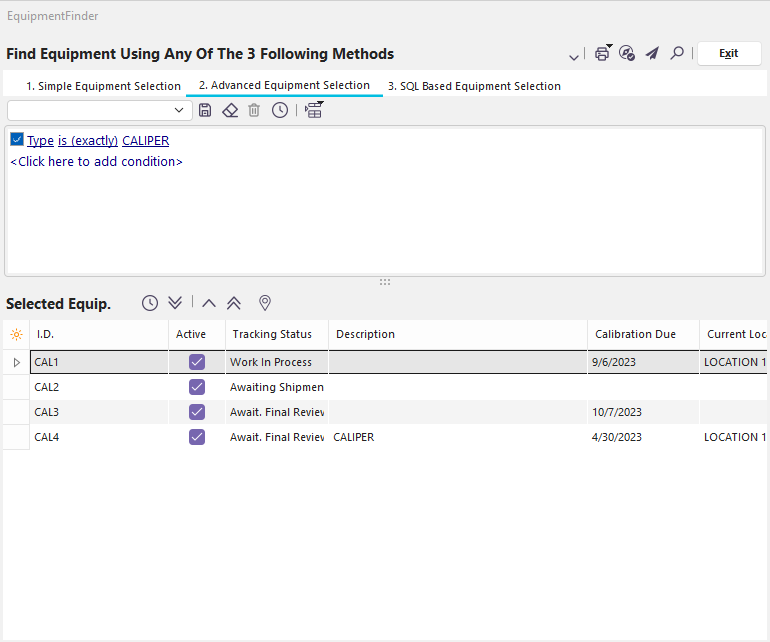
Let's look at what happens if you press  to find all your CALIPERs in EquipmentFinder.
 ../Storage/indysoft-help-publication/97659414.png
Equipment Finder Dialog
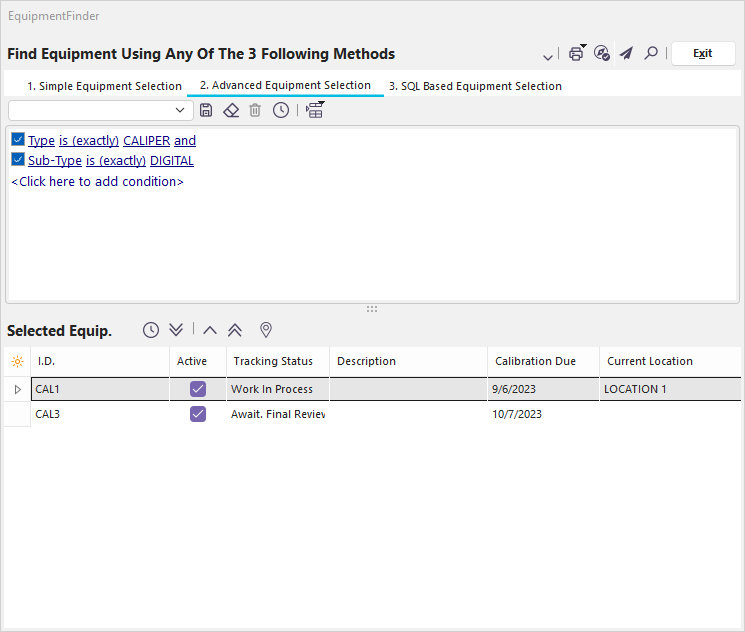
Since there are some cases where having a CALIPER is more important than having a particular Sub-Type of CALIPER, this search is much easier than searching for every possible type of CALIPER. Just pick one that will work for the job and move on. But what if you need a DIGITAL CALIPER?
 ../Storage/indysoft-help-publication/97659474.png
Equipment Finder Dialog - Using Sub-Types
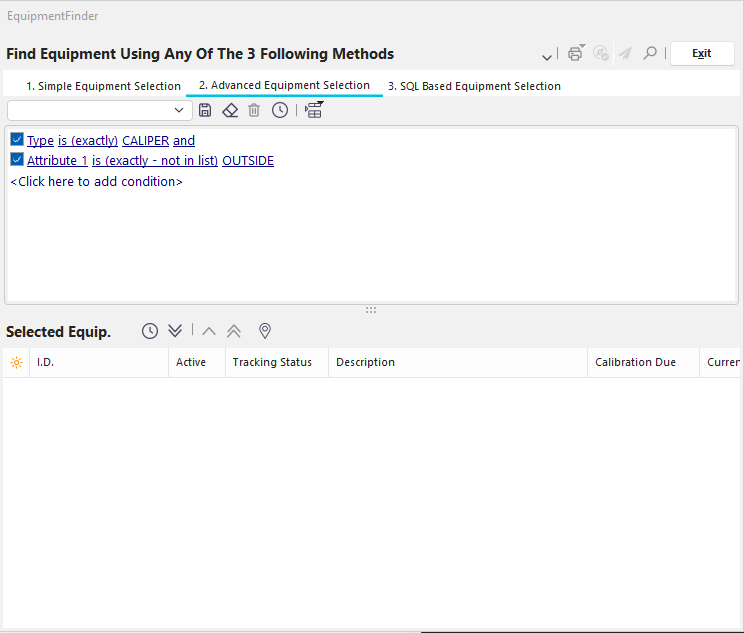
You can quickly get the same precision as before but also be more general in your searches. Now for something tricky. Let's say you set up an Attribute Type for CALIPERs that allows you to record if a particular CALIPER is an INSIDE or OUTSIDE CALIPER. Then you can search for an OUTSIDE CALIPER, regardless of Sub-Type.
 ../Storage/indysoft-help-publication/97659552.png
Equipment Finder Dialog - Using Attributes
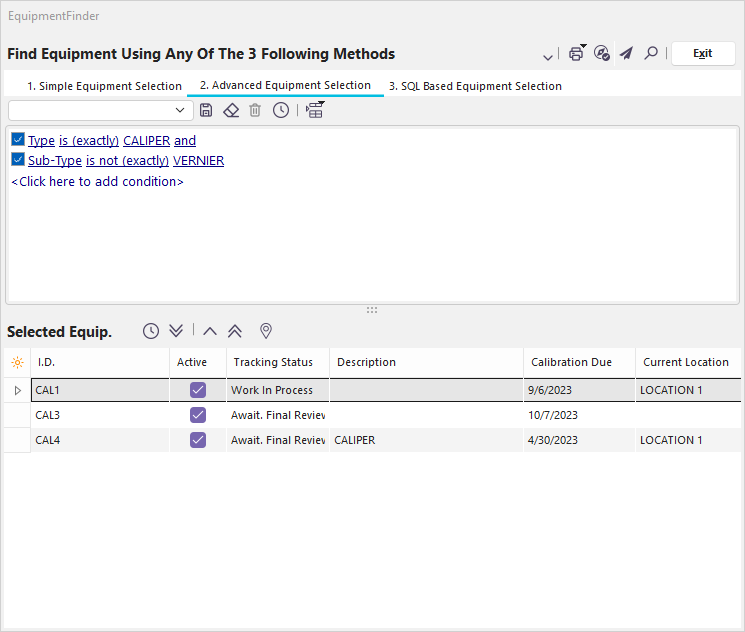
You can also do a couple of things if there is a particular piece of equipment you do NOT want in your search. For example, suppose a VERNIER CALIPER will not be precise enough for the task you are about to perform. You can easily exclude it from your search results.
 ../Storage/indysoft-help-publication/97660270.png
Equipment Finder Dialog - Excluding Sub-Types
This is an example of another type of search that would be very difficult to do without using Sub-Types. This isn't a search that would be important in EquipmentFinder, but this is precisely the type of search that is used in Event Completion Rules and Selection Rules of Event Configuration. When working in Event Configuration, you will sometimes want to exclude a particular piece of equipment, which means you need to accept everything except that piece of equipment. Let's say we want to permit everything except a DIGITAL CALIPER for a particular event because of the danger of its circuitry being damaged. Making the selection in EquipmentFinder would look like this:
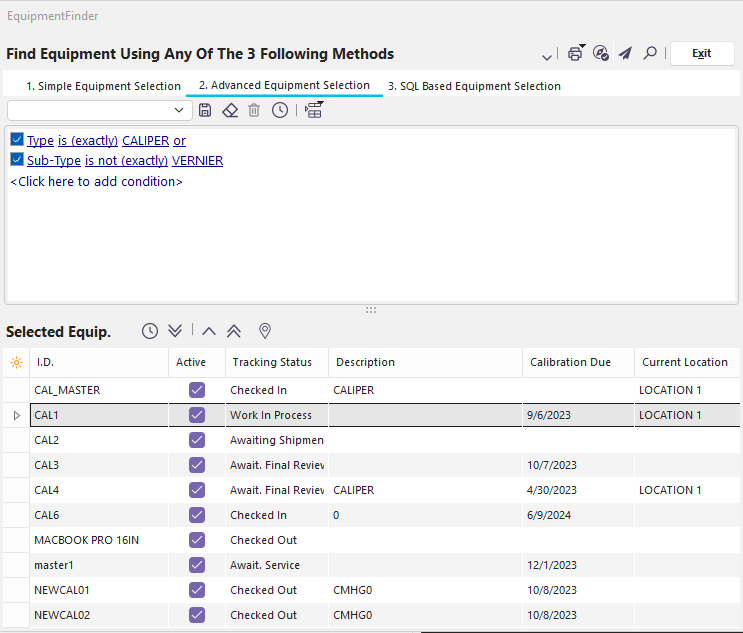 ../Storage/indysoft-help-publication/97660324.png
Equipment Finder - Excluding Items
Notice that we use 'or' instead of 'and' to connect the two conditions. The logic here is that if you 'want something that is not (both a CALIPER and VERNIER),' it is the same as saying you 'want something that (is not a CALIPER) or (is not VERNIER).' Note that something that is neither a CALIPER nor VERNIER is included in the result. |