Unscheduled Work
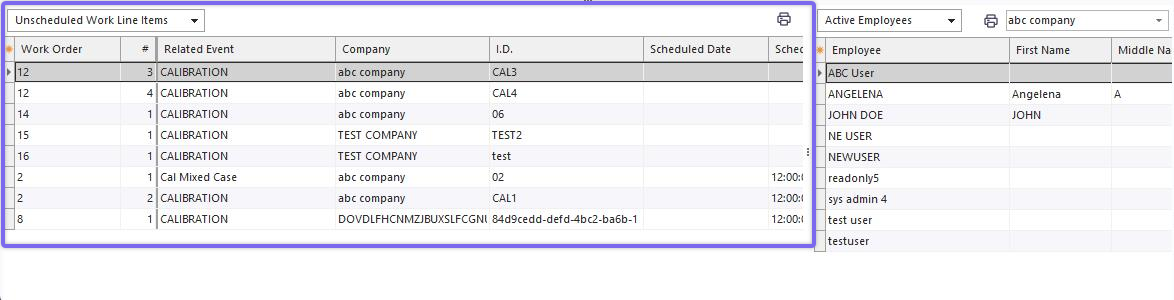
Unscheduled Work - Work Scheduling Module (bottom left of the main screen)
·Appears in the lower-left of the screen, available when 'Unscheduled Work' is selected above the grid
·Shows all work order 'scheduled work' items that are currently Incomplete and not scheduled. Note: 'Back ordered,' 'complete,' and 'skipped' items will NOT show in this grid.
·Grid can be filtered, grouped, and exported as normal IndySoft grid
·Right-mouse click options, same as IndySoft grids
·Right-mouse click option for 'Clear Schedule Fields for Selected Item' - clears Schedule Date and Schedule Time fields, effectively moves the record into the lower-left grid for 'Unscheduled Items' - when viewing 'Unscheduled Work,' it only makes sense to use the 'Clear Assignment fields' option
·Right-mouse click option for 'Clear Assignment Fields for Selected Item' - clears employee and employee group fields, effectively moves the record into the lower-left grid for 'Unassigned Items' - when viewing 'Unscheduled Work,' it only makes sense to use the 'Clear Assignment fields' option
·Grid can be printed from the right-mouse click option or the Print button above the grid
·This grid is generally used as the starting point for a drag/drop into either 'Month View,' 'Week View,' or 'Day View' (to set schedule fields to drop position and assignment fields to the current view filter). See notes on 'Drag/Drop Combinations.' |