Previewing Import File Contents
This option allows users to 'peek' into the contents of an import file before the import occurs. The preview can be of one group only (if the Preview hyperlink is selected from the 3rd column in the Import Options grid) or all groups (if the Preview All hyperlink is selected from above the Import Options grid. An example preview is shown below. This preview shows all Equipment data in an import file:
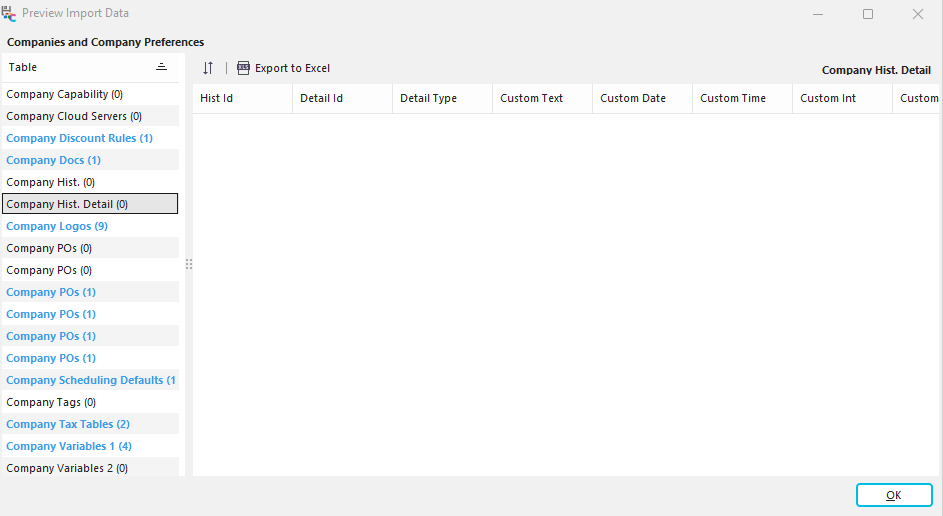
Preview Import Data
Note that the preview window has two sections, divided left/right on the dialog. The left-hand section has 1 column - this section shows all the distinct tables. (Note that the names are 'friendly names,' not the actual table names). As you select tables from this grid, the contents of the table (as stored in the import file) are shown on the right. Again, the field names for each table shown on the right are 'friendly,' not the actual field names. You cannot modify the tables or fields from this dialog - it is shown only for reference. Table contents can be exported to Excel from the option above the right-hand grid:

Note that in the left-hand panel, the tables that contain records are shown in boldface and blue instead of black. A count of records per table is also shown. The table grid can be resorted up/down, but the field grid on the right cannot (for speed purposes - some import files contain a large # of records). Press OK when you are done viewing the import file contents. |