Unassigned Work
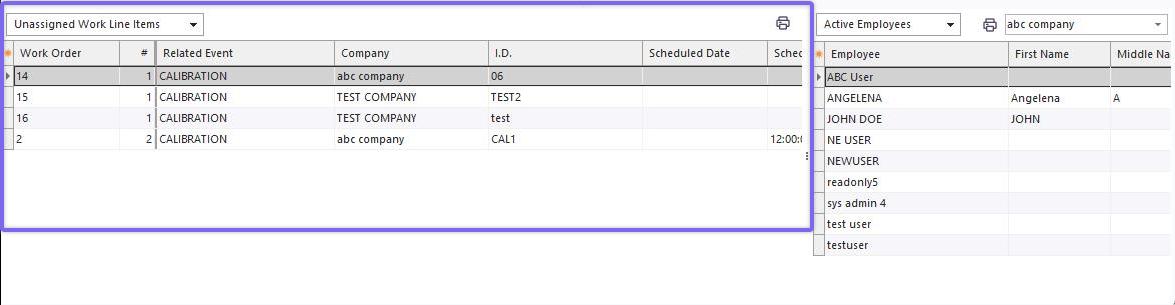
Unassigned Work (Bottom left of Work Scheduling Module)
·Appears in the lower-left of the screen, available when 'Unassigned Work' is selected above the grid
·Shows all work order 'scheduled work' items that are currently Incomplete and not assigned to either an employee or employee group. Note: 'back ordered,' 'complete,' and 'skipped' items will NOT show in this grid.
·Grid can be filtered, grouped, and exported, as normal IndySoft grid
·Right-mouse click options, same as IndySoft grids
·Right-mouse click option for 'Clear Schedule Fields for Selected Item' - clears Schedule Date and Schedule Time fields, effectively moves the record into the lower-left grid for 'Unscheduled Items' - when viewing 'Unassigned Work,' it only makes sense to use the 'Clear Schedule Date and Time fields' option
·Right-mouse click option for 'Clear Assignment Fields for Selected Item' - clears employee and employee group fields, effectively moves the record into the lower-left grid for 'Unassigned Items' - when viewing 'Unassigned Work,' it only makes sense to use the 'Clear Schedule Date and Time fields' option
·Grid can be printed from the right-mouse click option or from the Print button above the grid
·This grid is generally used as the starting point for a drag/drop into either 'Month View,' 'Week View,' or 'Day View' (to set schedule fields to drop position and assignment fields to the current view filter). See notes on 'Drag/Drop Combinations.' |