Setup Item Types
To access information about a work order, double-click on it in the grid (see Grid View). Use this configuration dialog to set up additional item types - this is useful for ad-hoc scheduler items. By default, there are six types of 'WORK ORDER' and 'WORK ORDER LINE ITEM,' 'ESTIMATE' and 'ESTIMATE LINE ITEM,' 'INVOICE' and 'INVOICE LINE ITEM' - these item types cannot be removed. The selection of an item type is only relevant for ad-hoc calendar items:
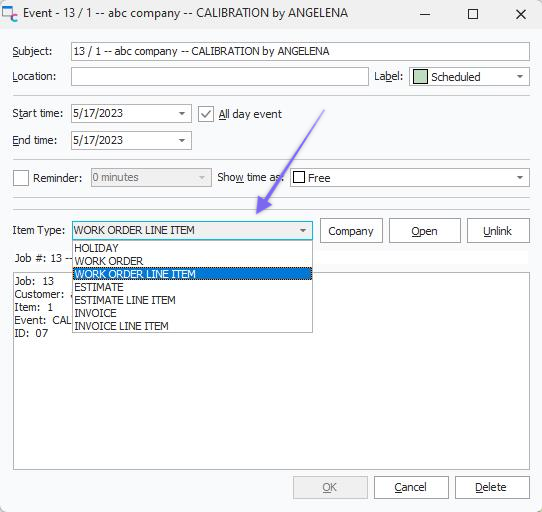
Work Scheduling - Item Type
The setup of Item Types depends upon security items in Profile Manager: IndySoft Calendar...Block Setup Item Types. You can also access this dialog from the Work Scheduling module  Options Icon.
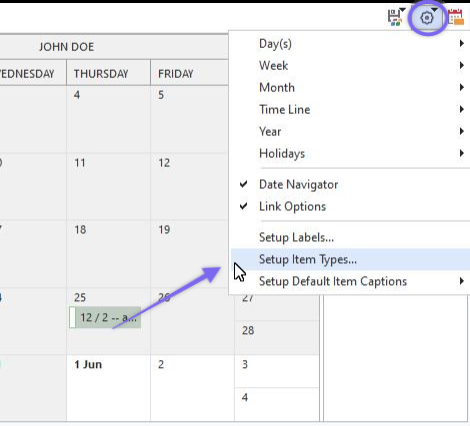
Work Scheduling Module - Options
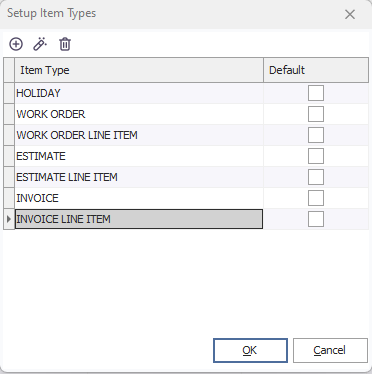
Setup Item Types
Use the 'Add New Item Type,' 'Edit Item Type,' and 'Delete Item Type' buttons above the grid to edit the types. One type can be set up as default. This item type will be pre-selected for any new ad-hoc calendar items created in IndySoft.

Add/Edit Item Type Dialog |