Workflow Configuration - Auto-Launch/Work Orders/Estimates
Configuration Wizard - Auto Launch/Work Orders/Estimates (Step 16 of 22)
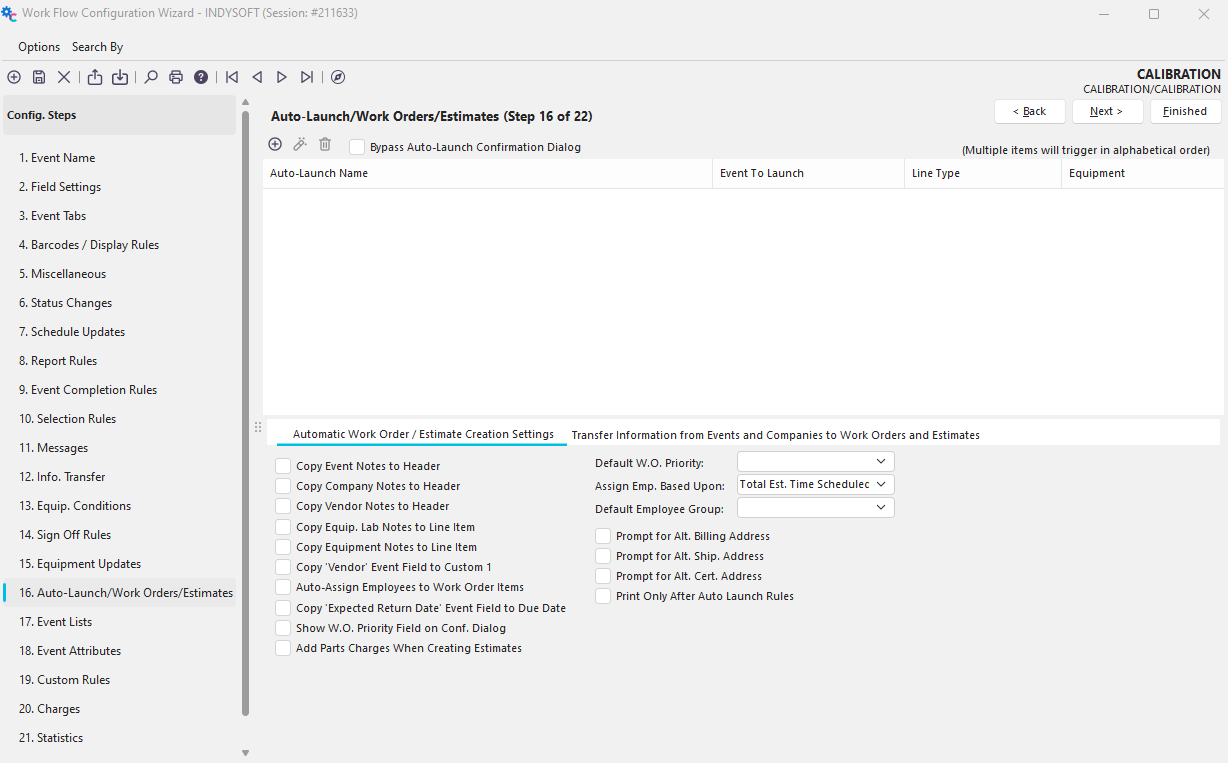
The Auto-Launch option allows you to either create a new estimate or work order OR automatically start another event after completing the current event is completed.
 ../Storage/indysoft-help-publication/99160917.png
Configuration Wizard - Step 16 of 22 - Auto Launch
Click the 'Add Equipment Auto-Launch Rule' button  to add a new rule or
  to view/edit.

Auto-Launch/Work Order/Estimate Rule
Auto Launch Name
This field is a unique name for the Auto Launch Rule. This name must only be unique for each Event Type you set up.
Event To Launch
This is the event that you want to launch.
Event Dropdown List
·Launch Event
·Create a Work Order
·Create Estimate
Equipment Dropdown List
The Equipment Dropdown list contains three choices for auto-launch.
·Add Equipment: The user can add equipment during the auto-launch event.
·Omit Equipment: Will not allow equipment to be selected during the auto-launch event.
·Add Equip - Invert Quantities: This feature is used for Tool Management only.
If Selected Equipment Matches This Condition...
Use this dialog to pick the type of equipment that you want to be considered in the Auto-Launch.
Equipment Rule
Use this dialog to pick (filter) the type of equipment that you want to be considered in the auto-launch. Leave the equipment filter blank if you want all equipment applicable for the auto-launch.
Rule Type
Here an Event Rule can be created, viewed, or deleted. IndySoft will check the current event data. If this rule is passed, then the event will launch.
Automatic Work Order / Estimate Creation Settings
These settings allow you to customize how work orders will be created.

Creation of Estimates vs. Work Orders
Estimates
Previous to 14.2, Estimates could only ever be created from an event if the Charges Section of the creation event was exposed and at least one charge was added. Only Estimate charges would be created and "Estimated Work" was not. In 14.2, all equipment added to the creation event is added to the Estimated Work portion of the Estimate as long as the filter criteria are met (This matches the Work Order creation rules). Charges are added if they exist in the creation event as they were in versions prior to 14.2
Work Orders
Work Orders are created based upon the equipment added to the creation event as long as the equipment meets the creation criteria upon completion of the event.
Transfer Information from Events and Companies to Work Orders and Estimates
Added in version 14 and enhanced in version 14.2, these options allow administrators the option to push event related and company related information to the Work Order or Estimate header and detail fields upon creation of that order. Only compatible fields can receive transfers from the Company or Event Level. For example, if a date field is selected from the event table, then only order system date fields will be displayed for those options. Text fields will be limited to only point to other Text fields in the order system if that order system text field is of equal or greater length to avoid truncation issues.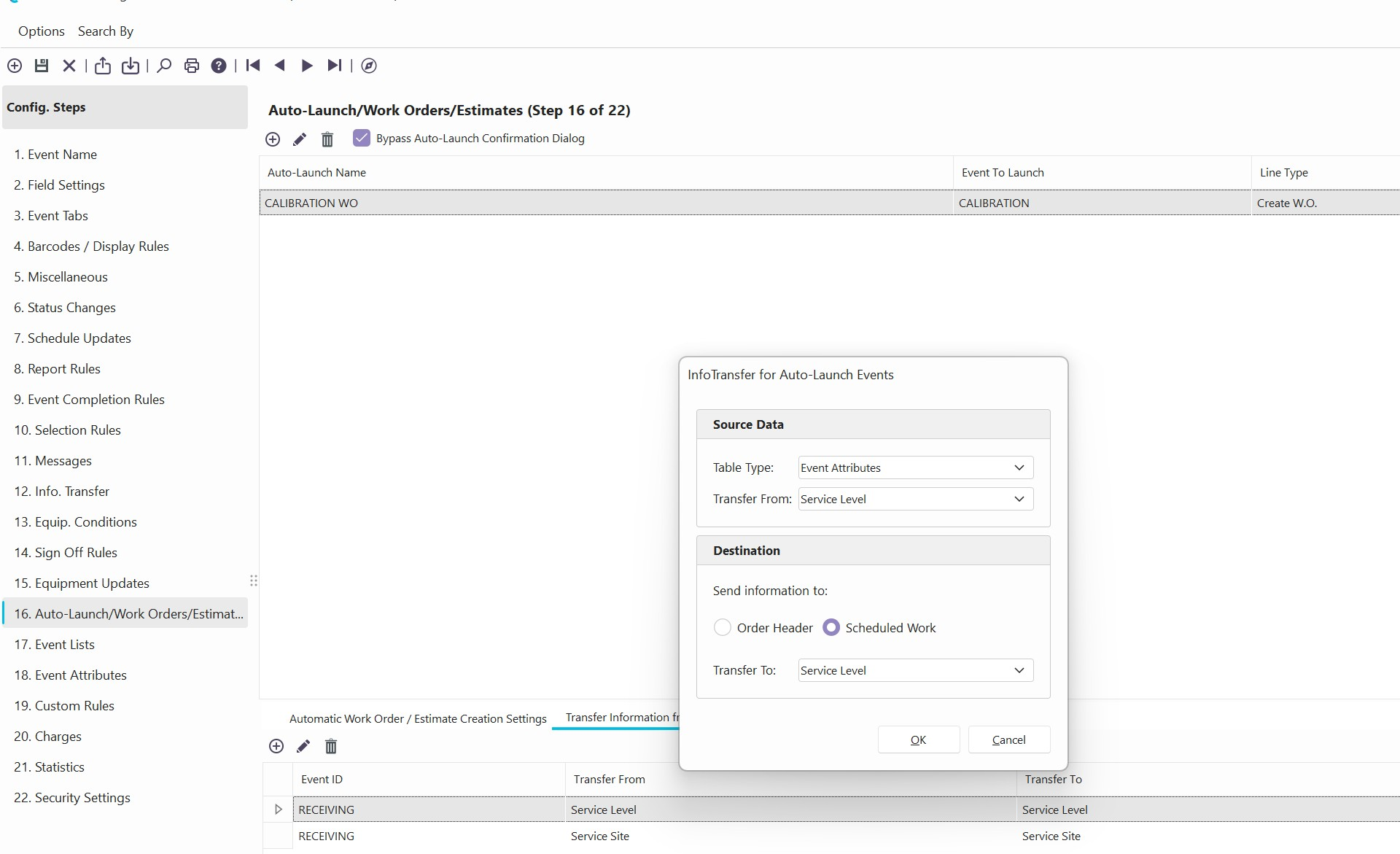 |
|